
Cheat FOCUS for Albion Online

FOCUS for Albion Online combines ESP and radar visibility of players and world objects with automated resource gathering and fishing. Distinct movement modes and saved configurations let users adjust these areas independently. A 64-bit Windows system (x64) is required.
Cheat status: Updating
Player ESP
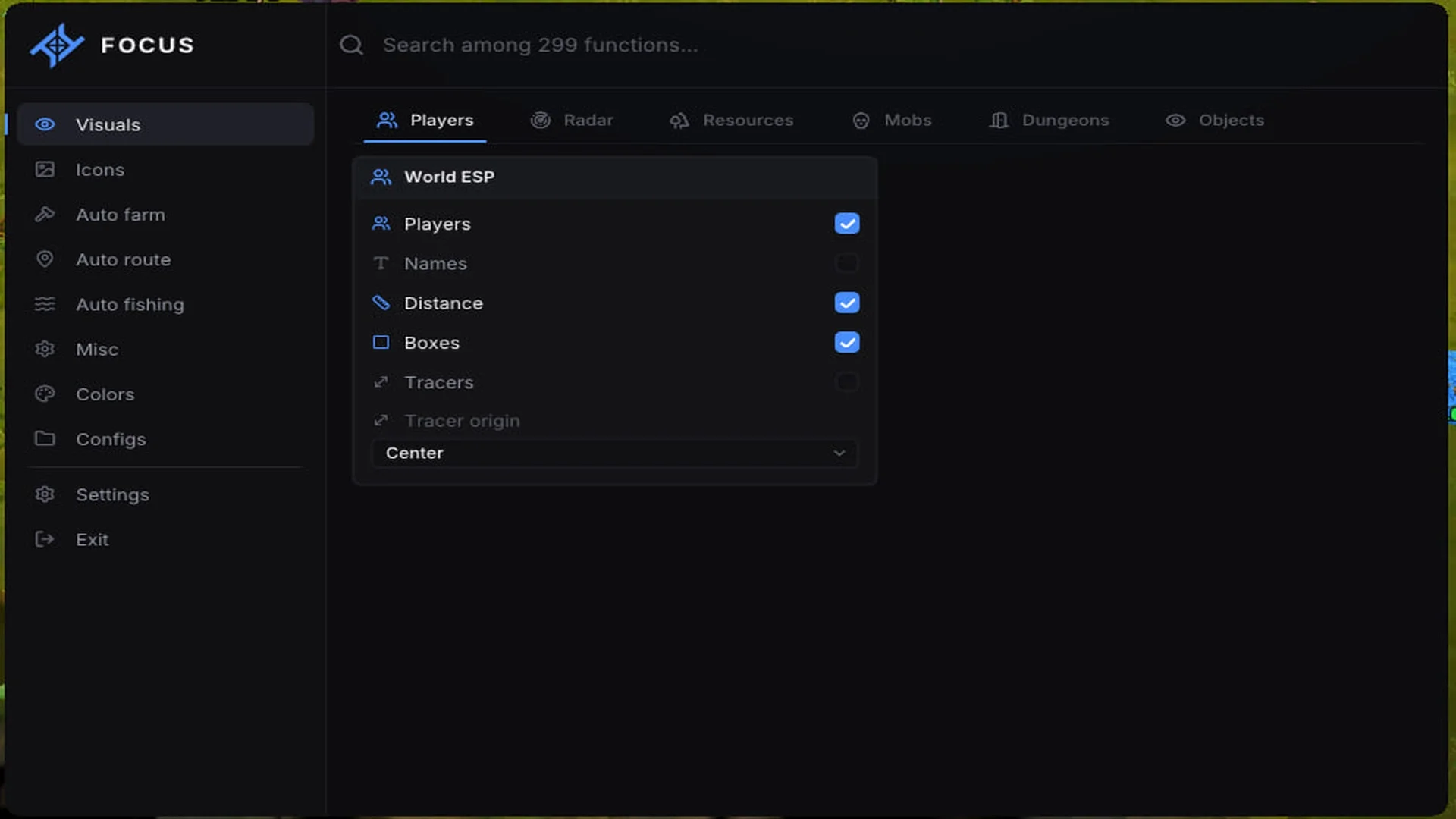
Display players in the world with names and distance Player boxes and tracers Tracer origins: bottom, center, or top
Radar and Player List
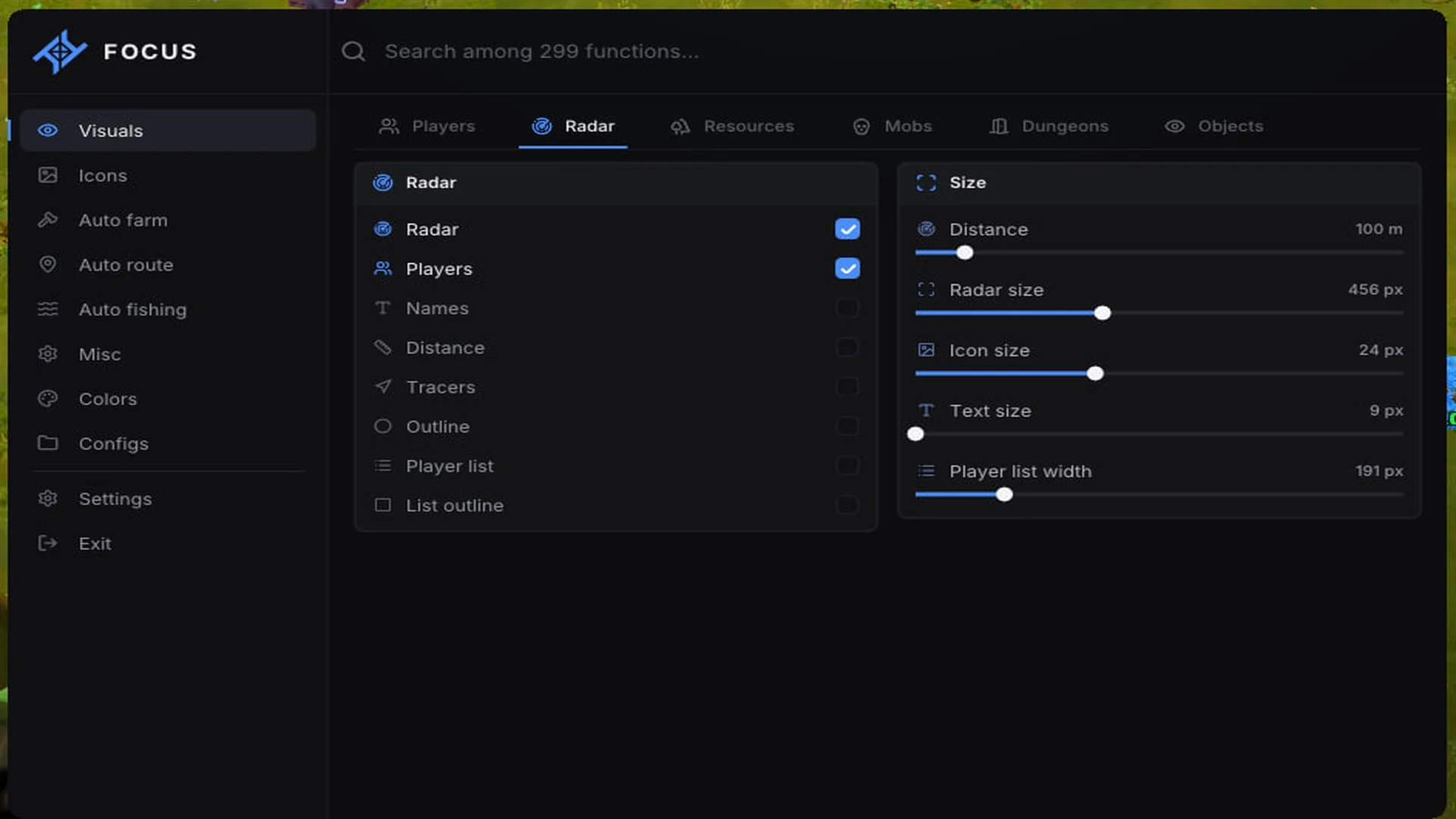
Radar with players, names, distance, tracers, and outline Separate player list with a configurable outline Configure radar range and size, icon and text sizes, and player-list width
Resource ESP
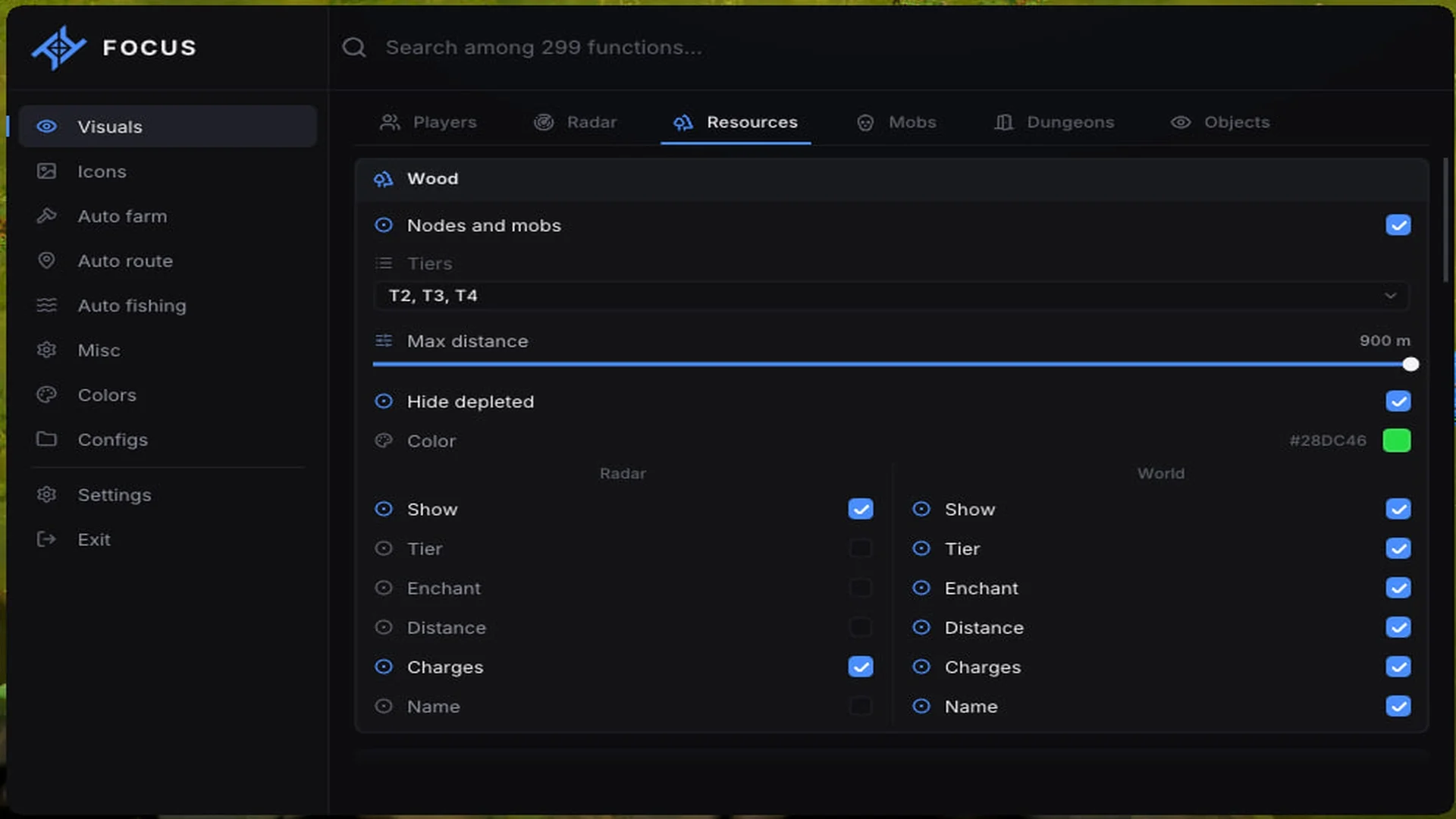
Resource categories: Wood, Rock, Ore, Fiber, and Hide; Hide shows mobs only Per-category toggles, T1–T8 tiers, range, depleted-resource filtering, and colors Resources on radar: tier, enchantment, distance, remaining charges, and name Resources in world ESP: tier, enchantment, distance, remaining charges, and name
Mob ESP
Show mobs in the world and on radar with names and distances Separate settings for hostile mobs, bosses, and minibosses Aggro-radius visualization and maximum-distance limit
Dungeon ESP
Dungeons in the world and on radar with names and distances Types: Solo, exits, Group, Corrupt, Hellgate, Mist Portal, and chests
Object ESP
Fishing spots, wisps, and dungeons: individual toggles, range, and colors Hunting traces and crystal bosses: individual display settings Smuggler crates and captured smugglers: separate display, range, and colors Chest mobs, events, and chests: separate display, range, and colors Fishing circles: toggle, maximum range, distance labels, and color
Player Icons
Player equipment: icon size, tier, enchantment, and label size Player abilities: icon size, cooldown timer, and readiness ring Icon-panel background and vertical offset
Mob Icons
Mob abilities, including show-only-after-attack mode Icon size, cooldown timer, and readiness ring Mob icon-panel background and vertical offset
Resource Autofarm
Automatic resource searching on the map and route display Mob avoidance during autofarming Independent Wood, Rock, Ore, Fiber, and Hide settings: tiers and minimum charges Hide gathering includes an animal-killing option
Waypoint Autofarm
Start automatic gathering along selected waypoints Smart routing, recording, display, and mob avoidance Mark, edit, and clear route waypoints Load and delete saved routes
Automatic Route
Record routes, move automatically, use smart routing, show routes, and avoid mobs Mark and edit route points, set start and finish, swap endpoints, and clear routes Manage saved routes
Move to Point
Move automatically to a point with optional mob avoidance Set a point with F7 and remove it with F6 Dedicated point-clearing command
Route Auto Fishing
Automatic fishing along a route Record and mark routes, define start and end, swap endpoints, and clear Route display, looping, and mob avoidance Manage saved fishing routes
Stationary Auto Fishing
Automatic fishing at a selected point Select a fishing point with F5 and clear it
Camera
Hotkey-controlled camera with top-down or zoomed-out view Rotate with the middle mouse button and set zoom limit Height clipping with adjustable cutoff height and fog Free camera with configurable hotkey Flight-mode free look or tilted top-down view
Player and Interface Colors
Colors for players, boxes, tracers, names, and distance labels Colors for radar outline and background, player list, and radar dot Colors for distance text and fishing-spot elements Colors for readiness rings, panel background, and panel border
Route Colors
Colors for route lines, inactive sections, points, start, finish, targets, and unreachable sections Custom color for the move-to-point marker Line, resource, and node colors for waypoint autofarming
World and Resource Colors
Colors for hostile mobs, bosses, and minibosses Five colors for wisp rarity tiers Colors for Solo, Group, Corrupted, Hellgates, Mist Portals, and exits Colors for resources and world objects
Menu Settings
Russian and English interface languages Open the menu using Home Option to hide the overlay from screen sharing Menu scaling and reset settings Preset color themes and custom accent color
Configurations
Save and load configurations


