
Cheat FOCUS for Arma Reforger
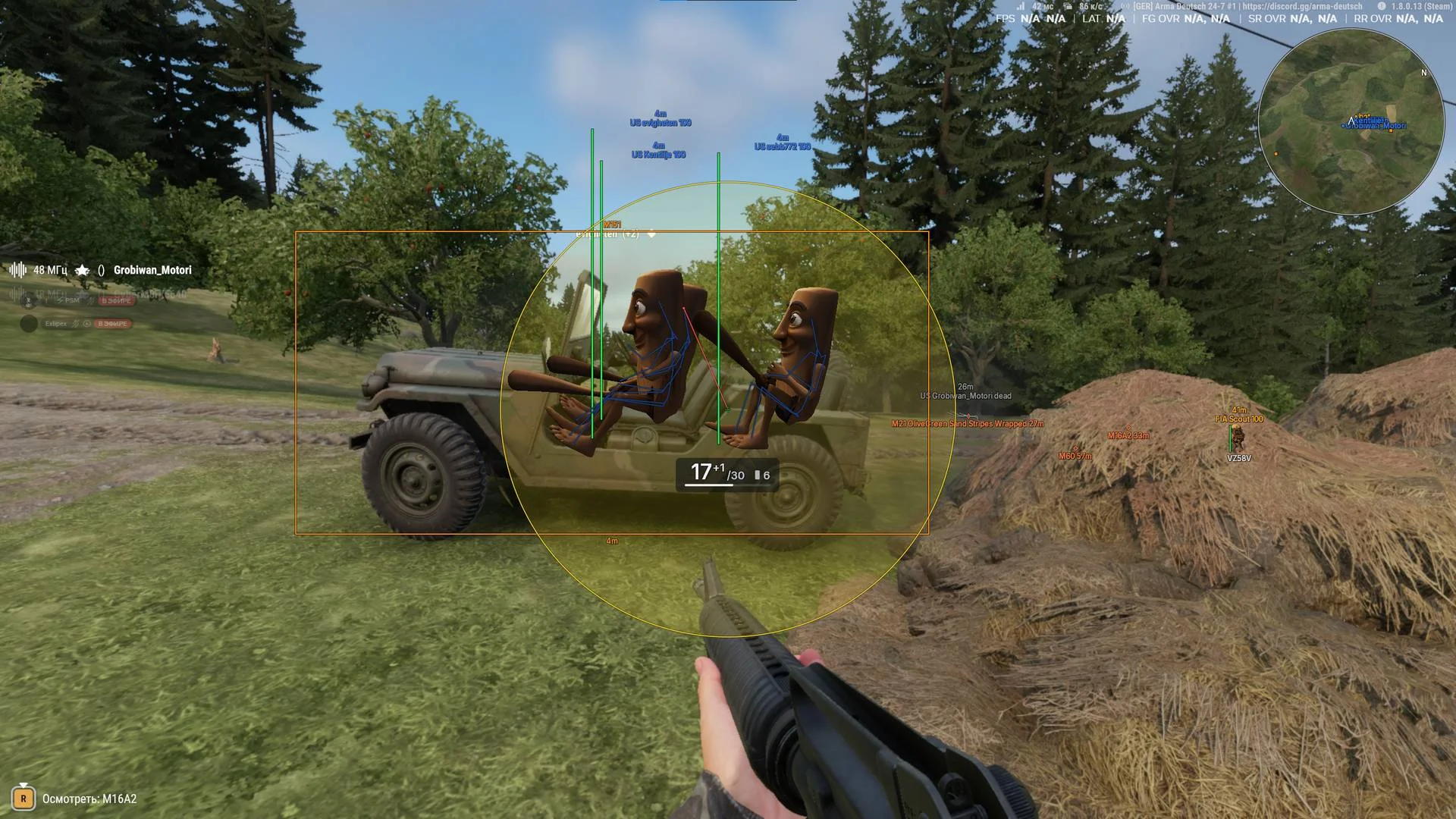
FOCUS for Arma Reforger is a multi-feature cheat built for combat and battlefield awareness. Its aimbot, extensive ESP, and minimap help track in-game targets, while 3D character model replacement and movement controls extend the feature set. A 64-bit system (x64) is required.
Cheat status: Updated
AIMBOT
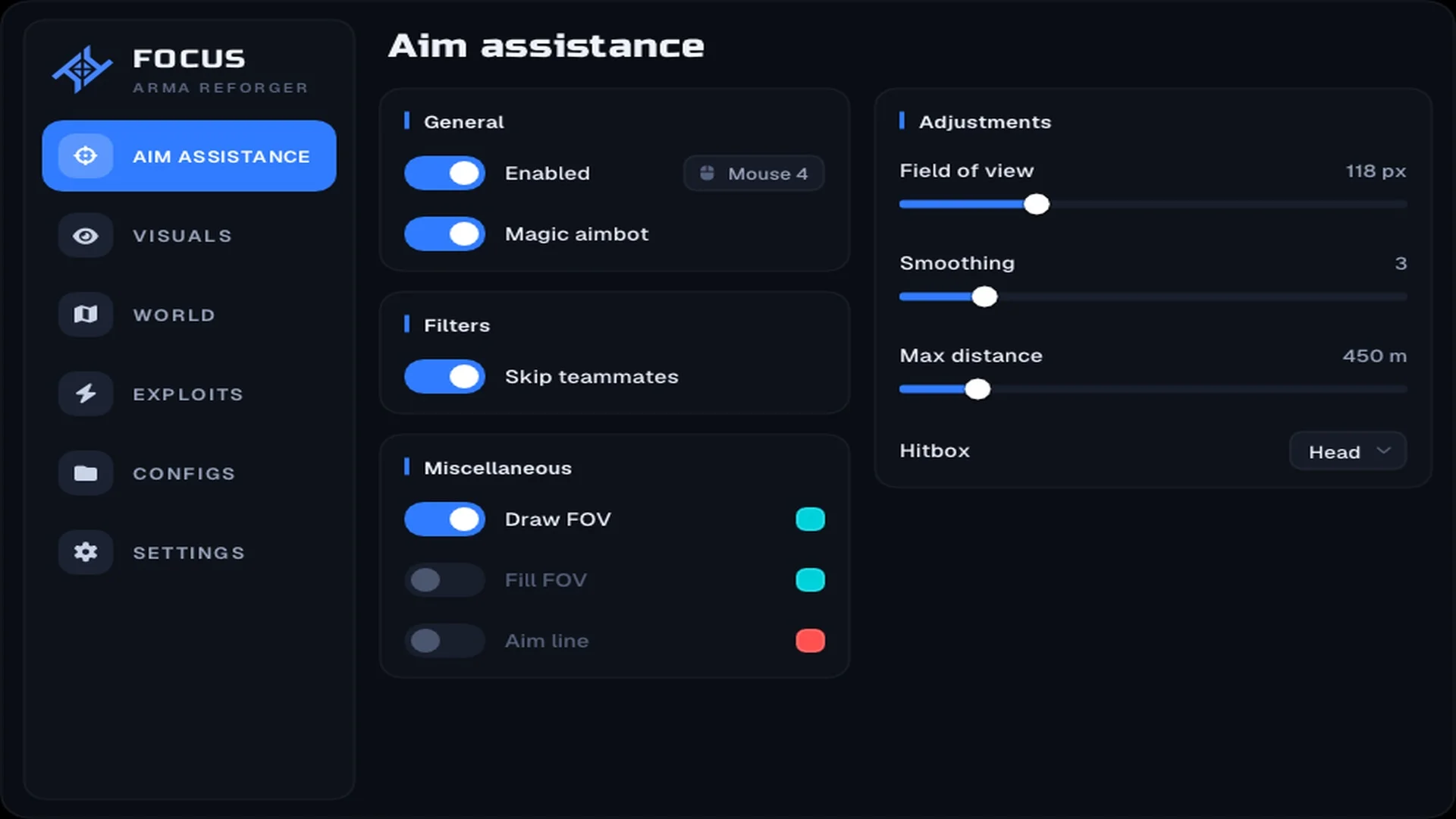
Enable aimbot and assign a hotkey, Mouse 4 by default
Separate Magic aimbot toggle
Aimbot field of view (FOV): 20–400 pixels
Aim smoothing: 0–20
Maximum aiming distance: 50–3000 m
Aim point: head, neck, or chest
Skip teammates when selecting a target
Display the FOV circle with a customizable color
Fill the FOV circle with a customizable color
Line from the crosshair to the target with a selectable color
PLAYER ESP
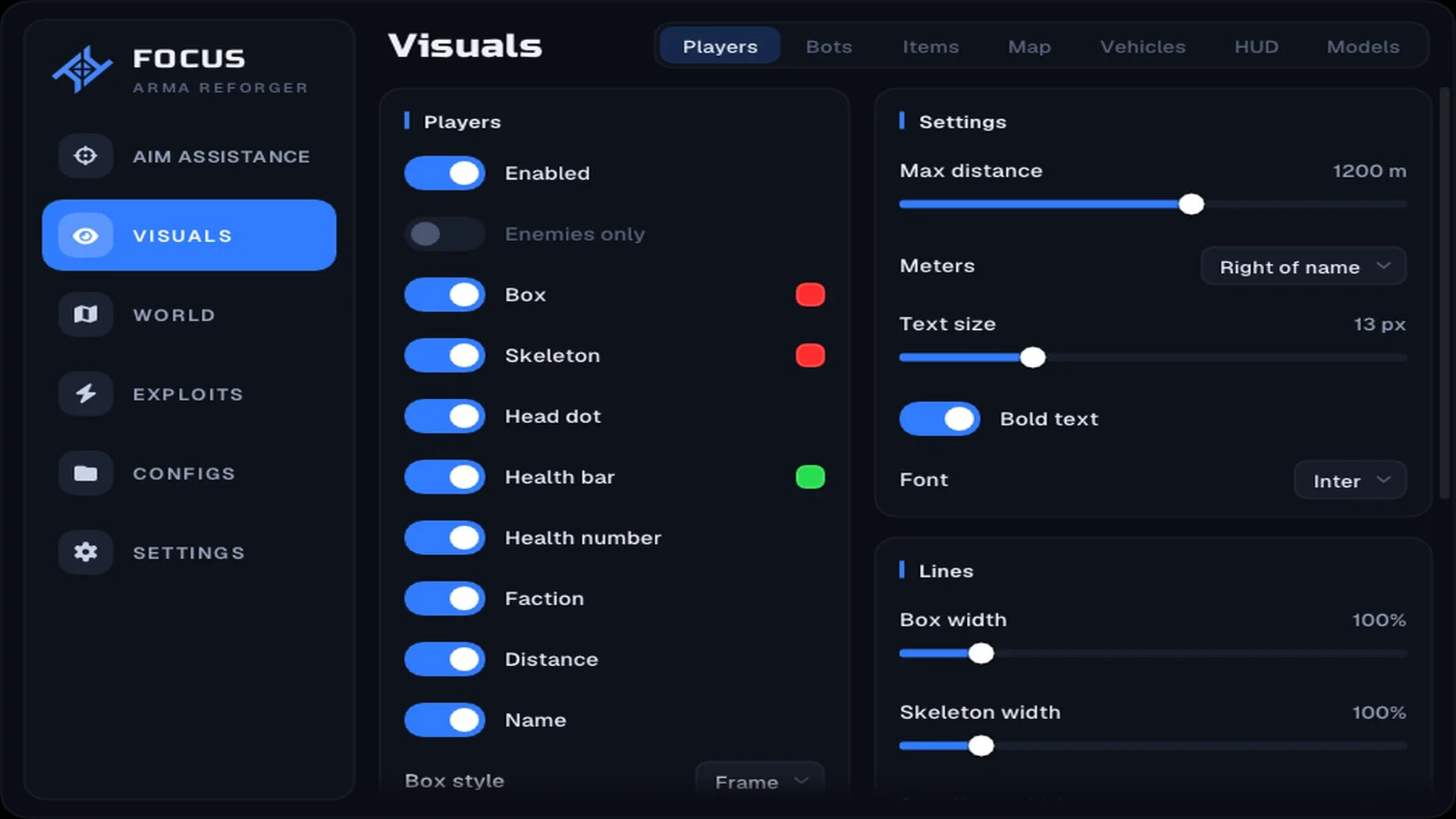
Enable player ESP
Enemies only — hide teammates based on team affiliation
Player boxes: full box or corners, with color selection
Player skeleton with customizable color and animations: off, Pulse, Rainbow, Wave, Flow, Neon, Fire
Circle on the player’s head
Health bar with selectable color and numeric health value
Display player faction
Player distance in meters: above, below, to the side, or to the right of the name
Display player name
Snaplines to players with customizable color and origin at the bottom, center, or top of the screen
Display the item held by a player
Display dead players
Maximum player ESP distance: 100–2000 m
Text settings: 10–22 px size, bold weight, and Inter, Segoe UI, Arial, Tahoma, Verdana, Consolas, Bahnschrift, Trebuchet MS fonts
Box, skeleton, and snapline thickness: 50–400%
Faction-based colors: separate colors for USSR, US, FIA, civilians, and others
BOT ESP
Enable bot ESP
Bot boxes: full box or corners, with customizable color
Bot snaplines: selectable color and origin at the bottom, center, or top of the screen
Bot skeletons with customizable color and head circles
Skeleton animations: off, Pulse, Rainbow, Wave, Flow, Neon, Fire
Bot names and factions with faction-based colors
Health bar, numeric health value, and bot distance
Display dead bots
Held item, inventory, and bot item list
Maximum bot ESP distance: 50–3000 m
ITEM ESP
Ground item ESP: enable, show distance, and set the display range to 10–1000 m
Medical and construction items: separate toggles and colors
Clothing: color and filters for headwear, outerwear, backpacks, vests, gloves, trousers, footwear, or all clothing
Weapons: color and filters for firearms, pistols, magazines, ammunition, optics, bayonets, explosives, attachments, or all weapons
VEHICLE ESP
Enable vehicle ESP
Vehicle boxes: 2D or 3D with selectable color
Vehicle names: UH-1, Mi-8, MH-6, Chinook, BTR, BMP, BRDM, Ural, HMMWV, UAZ, Lada, and others
Display vehicle distance
Separate helicopter display toggle
Maximum vehicle ESP distance: 100–3200 m
MINIMAP
Enable or disable the minimap
Minimap size 120–600 pixels and range 100–5000 m
Position in any screen corner or manually, X/Y coordinates: 0–100%
Minimap opacity: 20–100%
Rotate minimap with the camera
Show players, bots, vehicles, and names on the minimap
HUD AND CROSSHAIR
Ammo counter with selectable color
Display spare magazines
Counter position: below the crosshair, bottom center, or bottom right; 60–200% scale
Screen crosshair: lines, T-shape, dot, or circle with adjustable color and outline
Crosshair settings: size 2–60 px, gap 0–40 px, thickness 1–10 px
Hit sounds Ding, Bell, Pop, Tick, Chime with 10–100% volume and preview button
3D MODEL REPLACEMENT
Replace displayed human characters with selected 3D models
Models Gary, Hulk, SpongeBob, Shiba, Hatsune Miku, Tung Tung Sahur, or custom .obj files
Rotate a custom model by 0°, 90°, 180°, or 270°
Button to open the custom models folder
Separate 3D model selection for US, USSR, FIA, and Others factions
3D model height: 120–500 cm
Separate 3D model toggles for players and bots
WORLD SETTINGS
Disable grass rendering
Free camera with an assignable hotkey, F6 by default
Free camera speed: 1–50 m/s
MOVEMENT EXPLOITS
Flight with an assignable hotkey, F7 by default; speed 1–50 m/s
Noclip with an assignable hotkey, F8 by default
Speedhack: F9 hotkey by default, always-on, hold, or toggle modes; speed 110–500%
Infinite stamina
WEAPON EXPLOITS
Remove weapon recoil, spread, and sway
TELEPORT
Teleport to a vehicle, F10 hotkey by default
Teleport to free camera, F5 hotkey by default
Teleport forward by 5–200 m, F11 hotkey by default
MENU SETTINGS
Remap the menu hotkey, Home by default
Menu scale: 60–120%
Streamproof mode to hide the overlay from capture
Reset menu settings
Color themes Focus blue, Ice blue, Violet, Mint, Rose, Amber, or a custom color
CONFIGURATIONS
Create, save, load, and delete configurations


