
Dayz - TUNDRA WEB RADAR
📰News: Updated, available for purchase and play!
Read more...
Cheat TUNDRA WEB RADAR for Dayz
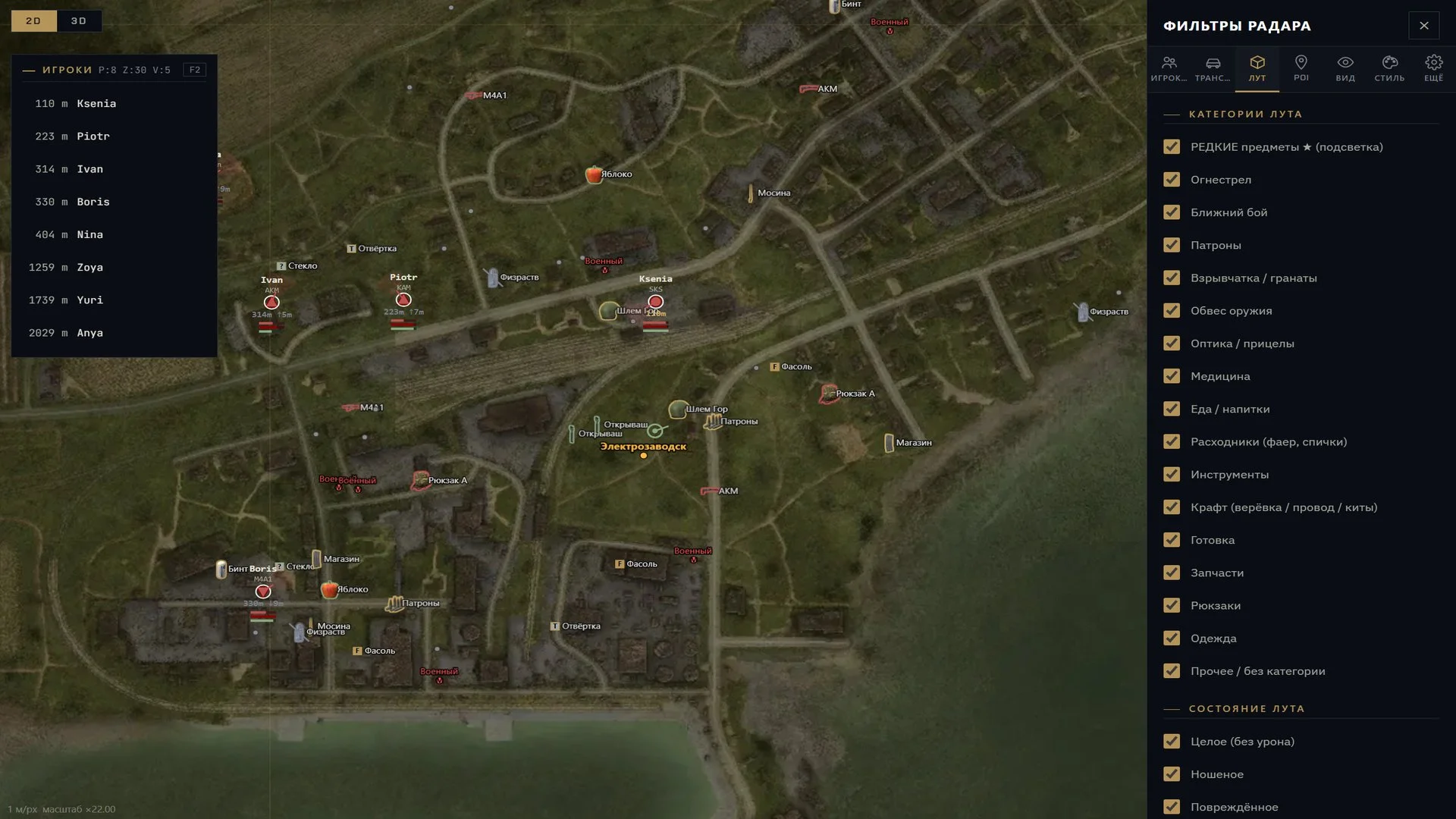
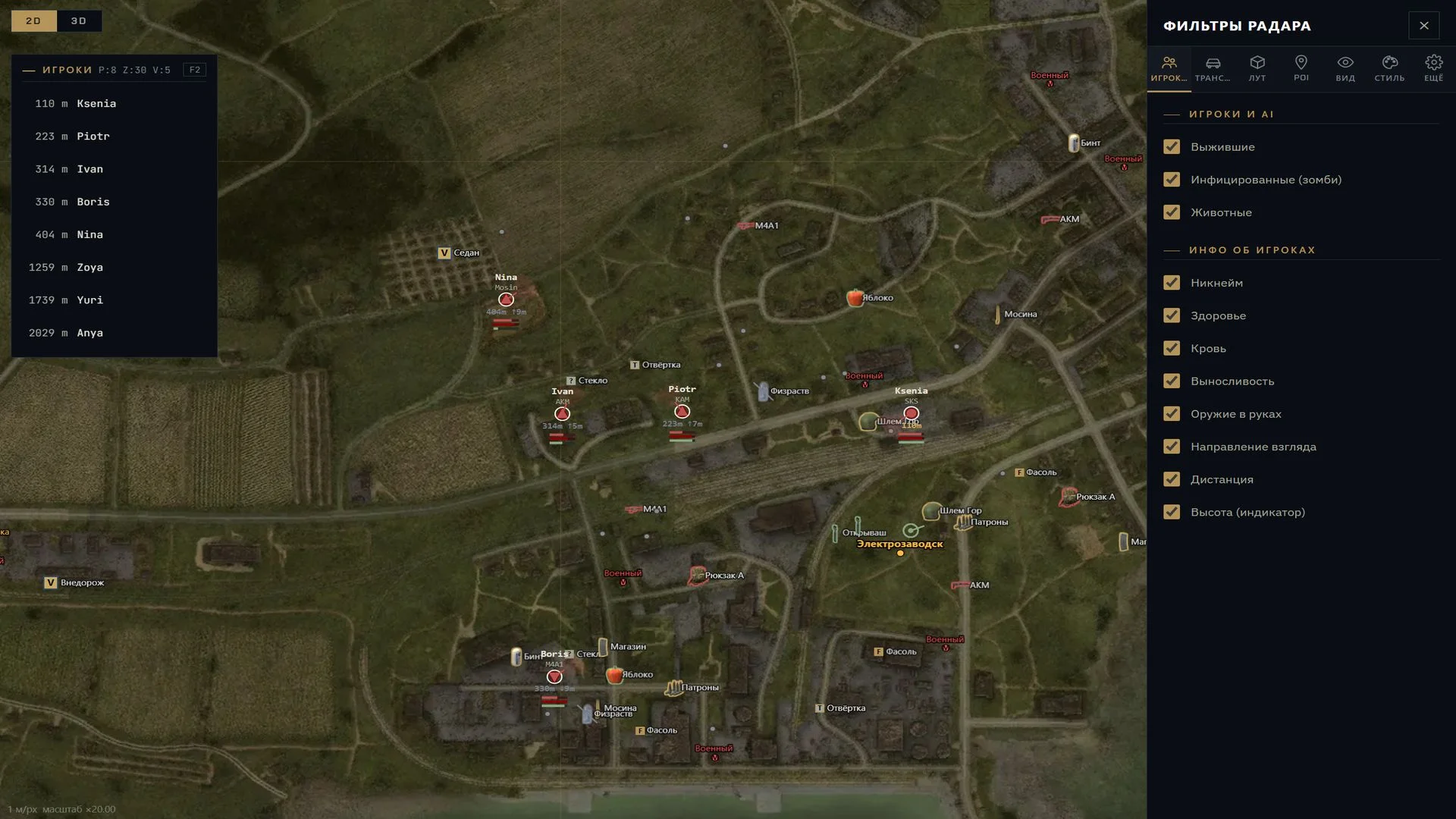
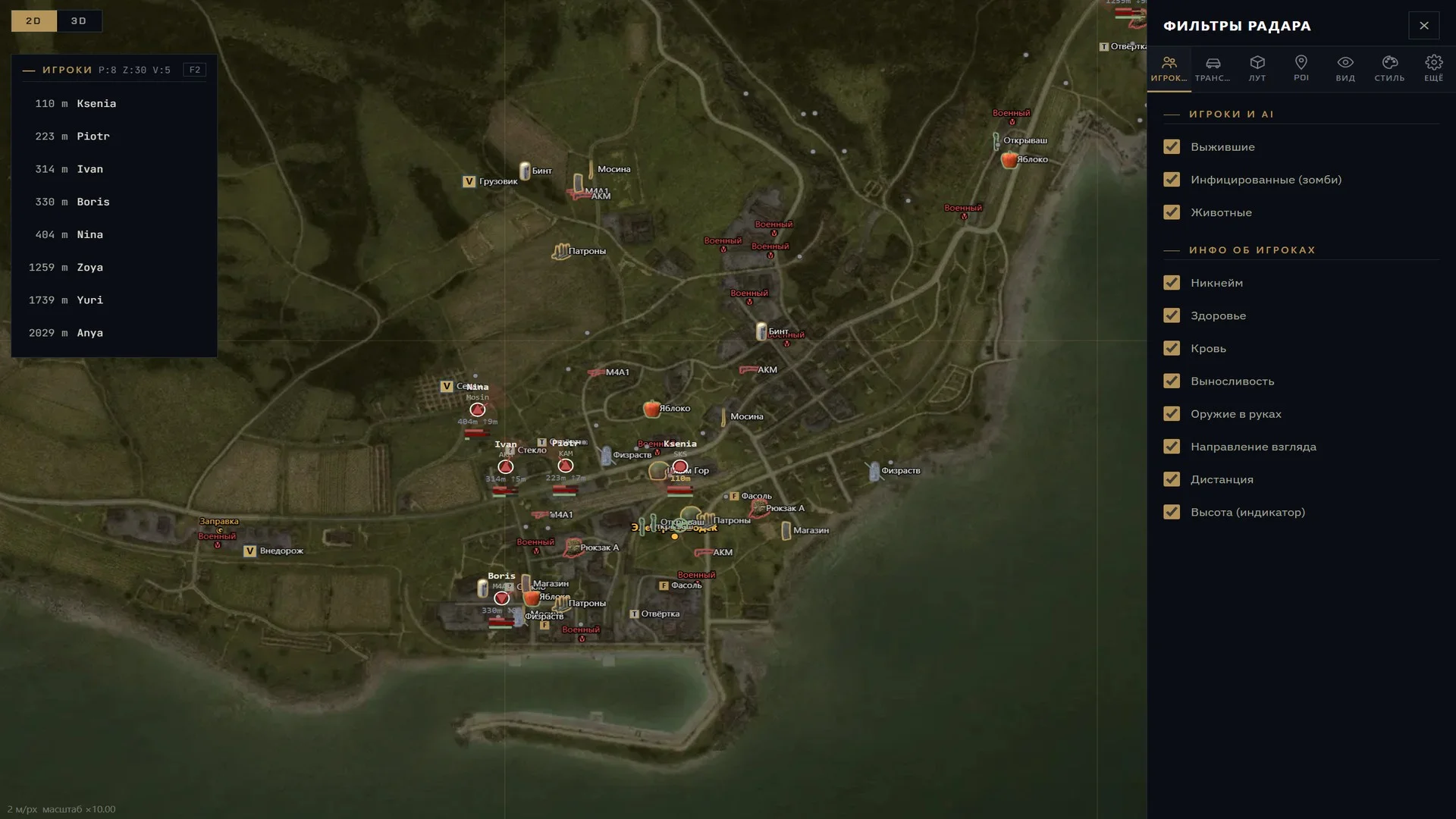
TUNDRA WEB RADAR is a browser-based radar for DayZ that displays the surroundings of your character on a separate map instead of an in-game overlay. Its primary focus is tracking players and world objects, with filters and map view controls to adjust what is shown. The radar can be viewed on a computer, second monitor, or mobile device, and automatically selects the map for the current server.
Cheat status: Updated
WEB RADAR
Displays the surroundings of your character in a separate browser tab, without an in-game overlay
View the map on a PC, second monitor, phone, or tablet
Responsive mobile interface with touch gestures for panning and zooming the map
PLAYERS, INFECTED AND ANIMALS
Separate visibility controls for survivors, infected, and animals
Player name and currently held weapon
Player health, blood, and stamina
Distance to players and height difference
Player view direction
Distinct markers for dead and unconscious players
Player inventory and clothing shown on hover
FRIENDS AND TEAM
Mark players as friends and highlight them on the map
Follow a selected player with the F key in the radar tab
Switch the radar to a teammate’s perspective
VEHICLES AND BULLETS
Vehicle markers with type labels: sedan, SUV, and truck
View a vehicle’s trunk contents on hover
View installed vehicle parts on hover
Separate display of bullets in flight
LOOT AND ITEMS
Item icons and labels with adjustable size
Show or hide individual loot categories
Highlight rare items
Filter items by condition, from pristine to ruined
Weapon-related categories: firearms, melee weapons, ammunition, explosives, grenades, attachments, and optics
Survival categories: medical supplies, food and drinks, consumables, tools, crafting, cooking, spare parts, backpacks, and clothing
BASES AND CONTAINERS
Markers for base structures, tents, and barrels
View container contents on hover
MAPS AND POINTS OF INTEREST
Maps of Chernarus (Chernarus+), Livonia, Sakhal, and Namalsk
Automatically select the map based on the game server
Points of interest: cities, villages, military bases, hospitals, police stations, fire stations, and churches
Points of interest: gas stations, shops, and wells
Helicopter crash sites and contaminated zones
Filter points of interest by category
VIEW AND NAVIGATION
Zoom, pan, and center the map on your character
Follow a player and rotate the map with their direction
Display movement trails
Kilometer grid and compass ring
3D WebGL map (beta)
Fullscreen map mode
PLAYER LIST
Open the player list with F2 in the radar tab
Search players by nickname
Sort by distance, with friends shown at the top
Counters for players, infected, and vehicles
INTERFACE SETTINGS
Open settings with F1 in the radar tab
Enable or disable individual object categories
Customize colors and sizes of map markers
Adjust the size of distance numbers
Export and import settings profiles, and restore defaults
Russian and English interface languages
Cheat Update history
Updated, available for purchase and play!
2026-11-04 13:08:57
Updated, available for purchase and play!
2026-10-26 09:07:17
Buy similar cheats

NEXT
from 6$
AUTHORITY smg
from 3.8$
CROOKED ARMS
from 7$
ANCIENT
from 6$
AUTHORITY LITE smg
from 2.6$
COVCHEG
from 3.1$
PHOENIX
from 3.6$
CRUSADER
from 5.1$
BTG
from 6.4$
ARCANE
from 3$
XERNEL
from 4$
CHUD
from 35$
SHACK apocal
from 13$
MASON
from 2.6$
BC
from 25$
DULLWAVE
from 3.8$
COLLAPSE
from 2.6$
MEMEZ
from 3.2$
KERNEL KERNAIM
from 30$
MIRA
from 3.8$
0XCHEATS
from 31.6$
HYPER Visor
from 3.8$
WR-C PRIVATE
from 30$
SOFTHUB
from 3.8$
KLAR
from 7$
BYSTER
from 3.8$
CHEAT ARMY
from 10$
LEX
from 8$
MEDUSA LITE
from 2.6$
VEGA
from 8$
MEDUSA
from 3.8$