
Escape from Tarkov - MEDUSA LITE
📰News: Updated, available for purchase and play! Fixed: display...
Read more...
Cheat MEDUSA LITE for Escape from Tarkov
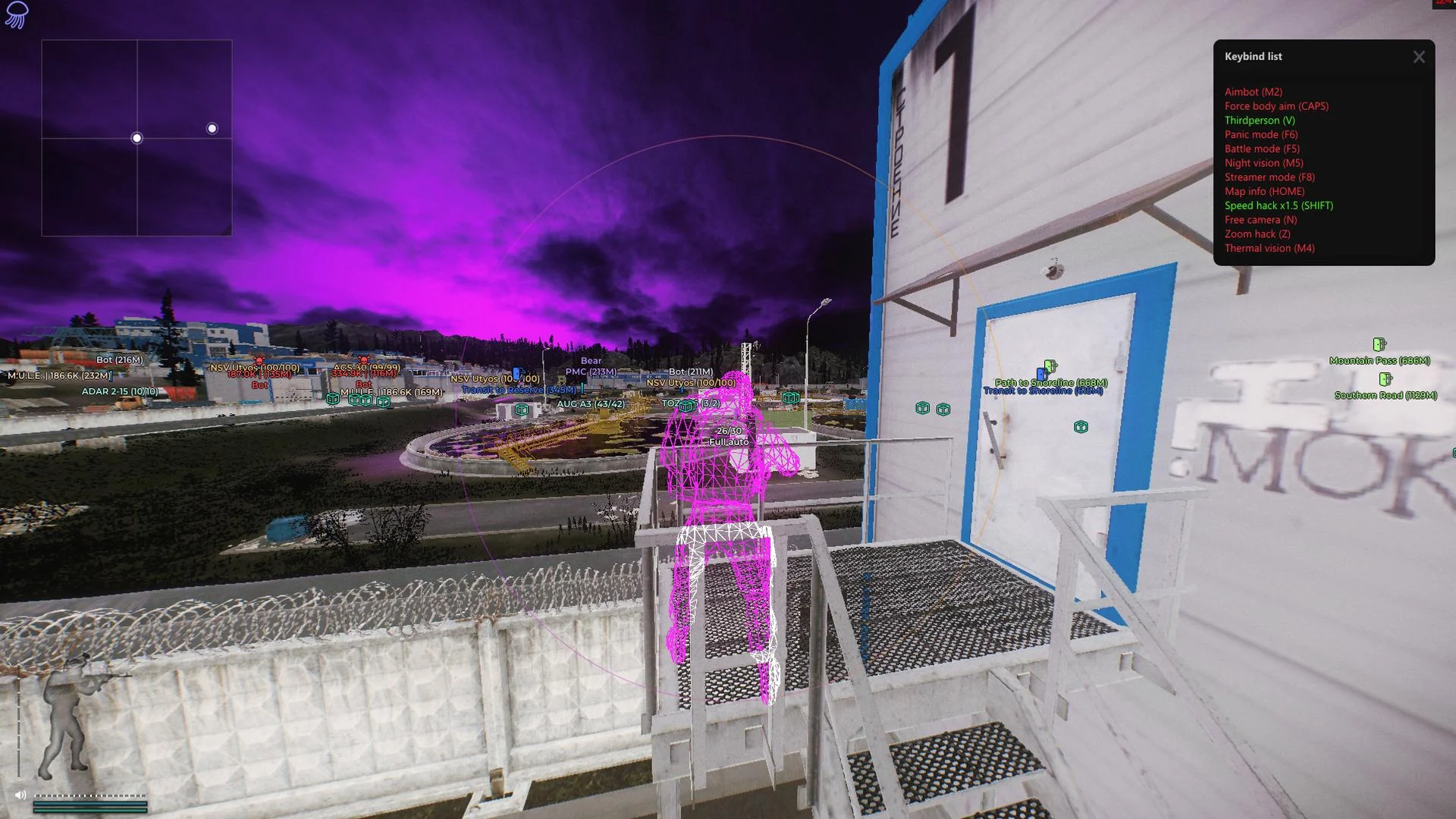
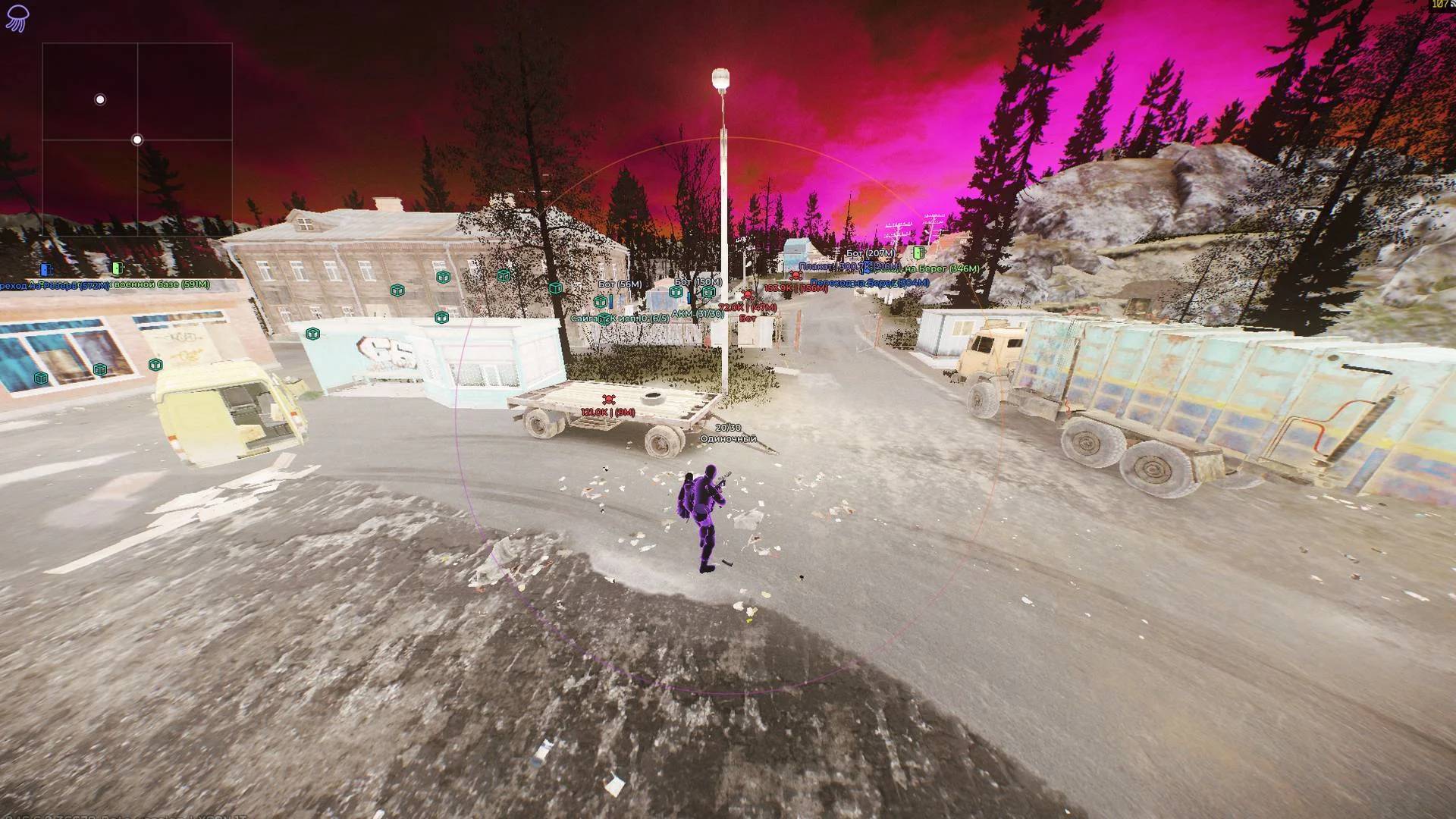
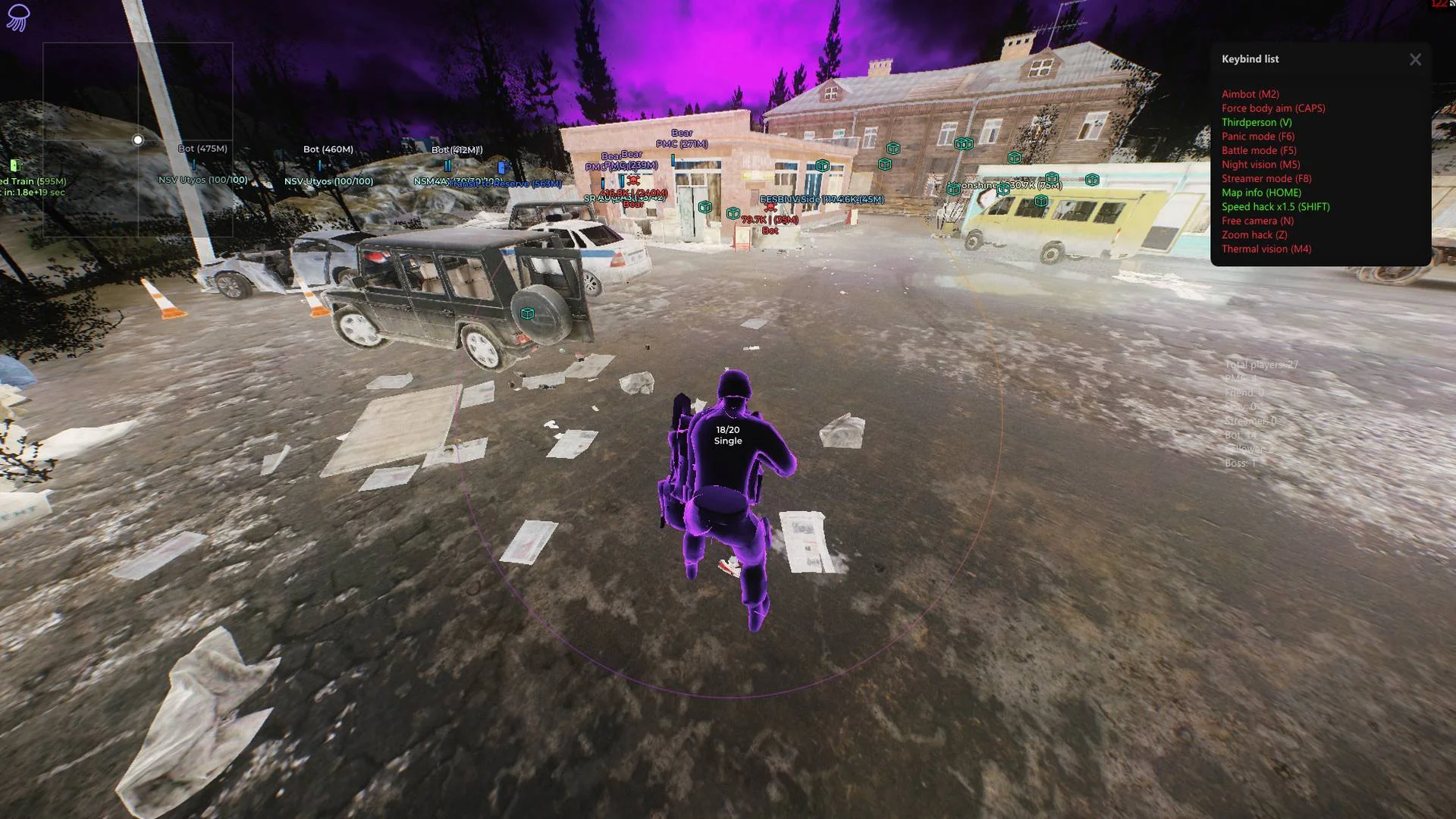

MEDUSA LITE is a multifunctional Escape from Tarkov cheat combining configurable targeting tools with in-raid visual information. The aimbot and ESP assist with tracking opponents, while loot display and filtering help identify items by category and value. The Lite edition emphasizes flexible visual and interface settings rather than a Rage-focused feature set.
Cheat status: Updated
AIMBOT
Enable aimbot with a configurable key
Silent Aim targeting mode
Target visible enemies only
Adjustable aimbot field of view
Maximum targeting distance limit
Target priority selection relative to crosshair
Exclude selected character roles from targeting
Target lock with a separate key
Target the nearest model bone
Prefer head targeting for bots
Force body or leg targeting with separate keys
Draw aim FOV with adjustable color and style
Animated FOV circle with optional filled area
Line to the current aimbot target
PLAYER ESP
Enable visual player display
Visible-player display filter
Option to ignore friends
Distance-based fading of visual markers
Adjustable fading start distance
Off-screen player direction arrows
Maximum distance for direction arrows
Player sound indicator
Player boxes with configurable style and color
Optional filled boxes
BOT ESP
Separate bot ESP toggle
Visible-bot filter
Distance-based fading of bot markers
Configurable bot marker fade distance
Bot sound indicator
Bot boxes with configurable style and color
Bot skeleton display
Bot view direction with adjustable line style and thickness
WORLD OBJECT ESP
Markers for fragmentation, flashbang and smoke grenades
Text or icon display for grenades
Grenade distance, timer and trajectory information
Grenade radius display
Configurable grenade trajectory style and animation
Grenade marker color and maximum display distance
Stationary weapon ESP
Hide markers in combat mode
RADAR AND MAP INFORMATION
Separate on-screen radar
Current map information panel
Selectable map statistics for players, PMCs and other roles
Transparent information window
Radar window style selection
LOCAL PLAYER CHAMS
Chams highlighting for the local player model
Selectable Chams effect style
Adjustable Chams effect strength
Chams highlight intensity adjustment
LOOT AND ITEMS
Enable loot item display
Selectable item price source
Color-coded items based on value
Shorten long item names
Ignore combat mode for the Silent Loot target
Show a list of detected items
Transparent item-list window
Adjust item-list transparency
Item price and distance information
Selectable general loot categories
CORPSES AND CONTAINERS
Corpse markers showing value and distance
Selectable corpse display style
Character information in corpse markers
Container ESP with value and distance information
Text or icon container markers
Selectable container types
Container information on hover
LOOT COLORS AND FILTERS
Separate colors for item price brackets
Colors for weapons, ammunition and magazines
Colors for sights, suppressors and weapon modifications
Colors for armor, plates and equipment
Enable the item filter
Filter items by category
Select price source for filters
Show only selected items
Search items by name
Shared filter settings for all items
Adjust item label color and font size
Clear the selected filter
QUEST HELPER
Enable quest hints
Show active quests only
Show completed quest objectives
Maximum quest marker distance
Hide quest hints while aiming down sights
Hide quest hints in combat mode
Quest hint text on hover
INVENTORY AND INTERACTION
Open containers without delay
Pick up items without delay
Place items without delay
Remove inventory blur
Open doors instantly
CAMERA AND VISUAL EFFECTS
Disable screen effects
Disable camera shake on hit
Unrestricted head rotation
Thermal vision with a dedicated hotkey
Light or dark thermal vision style
Cloud density adjustment
CONFIGURATIONS
Create settings profiles
Save and load profiles
Rename and delete configurations
Auto-load the default configuration
Copy configuration to clipboard
Import configuration from clipboard
Reset settings
MENU AND INTERFACE
Set the menu hotkey
Set a panic hotkey
Set a combat-mode hotkey
Choose the main interface color
Select color style and interface theme
Adjust interface DPI scaling
Choose interface language
Select watermark appearance
On-screen list of assigned hotkeys
ADDITIONAL FEATURES
Stream capture bypass for OBS and Discord
Built-in automatic update module
PvE game-mode support; separate PvE-specific features are available only on local servers
Cheat Update history
Updated, available for purchase and play!
Fixed: display of chams,
triggering of binds when the menu is open,
conflicts between certain simultaneously active functions,
quest completion in PVE mode.
Weapon information display has been reworked.
2026-11-05 20:54:22
Updated, available for purchase and play!
Fixed: display of chams,
triggering of binds when the menu is open,
conflicts between certain simultaneously active functions,
quest completion in PVE mode.
Weapon information display has been reworked.
2026-11-05 20:49:16
Updated, available for purchase and play!
Fixed: display of chams,
triggering of binds when the menu is open,
conflicts between certain simultaneously active functions,
quest completion in PVE mode.
Weapon information display has been reworked.
2026-11-05 20:47:03
Buy similar cheats

CHAMS smg
from 3.8$
RADAR WINGS
from 101$
PRIVATE
from 50$
ANCIENT Chams
from 3$
COFFEE LITE
from 8.2$
NEXT
from 7$
LACOSTE smg
from 8.9$
NEXT Lite
from 4$
LACOSTE LITE smg
from 7$
NEIRODROP smg
from 3.8$
ANCIENT
from 5$
NEXT Chams
from 3$
UDP
from 4$
COVCHEG
from 3.8$
AUTHORITY smg
from 6.4$
VANURI SKILLS / KD / MARKET BOT
from 9.5$
AUTHORITY TRAINER smg
from 2.6$
AUTHORITY LITE smg
from 5.1$
KERNEL / KERNAIM
from 28$
SUGAR elite smg
from 8.3$
CRUSADER
from 6.4$
LOVEC RADAR
from 5.1$
FECURITY
from 4$
SHACK ghost
from 54$
KALI CHAMS
from 1.9$
SUGAR smg
from 6.4$
PRIVATE smg
from 126.5$
SKY smg
from 4.5$
CHEAT ARMY
from 15$
CHAMS++ smg
from 5.1$
RADAR SMG
from 5.1$
TRAINER smg
from 1.9$
COLLAPSE
from 3.2$
EXOZONE
from 7.5$
COFFEE Chams
from 4$
MIRA
from 3.8$
LEX
from 12$
LEX Lite
from 8$
KLAR FULL
from 12$
HYPER Visor
from 5.1$
COFFEE Chams LITE
from 2$
MEDUSA FULL RAGE
from 8.3$
WR-C PRIVATE
from 39.9$