
Cheat FOCUS WEB RADAR for Dayz
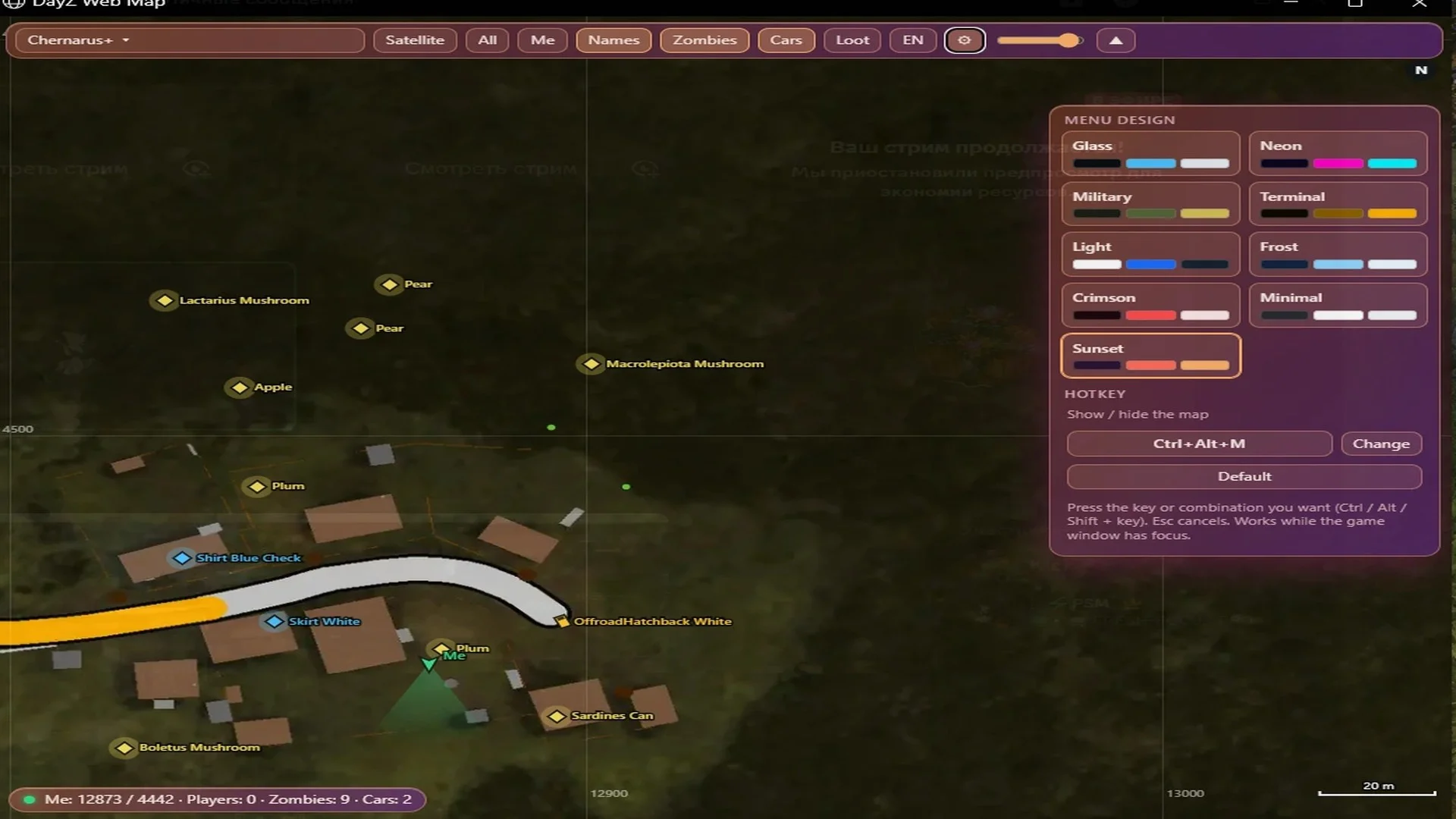
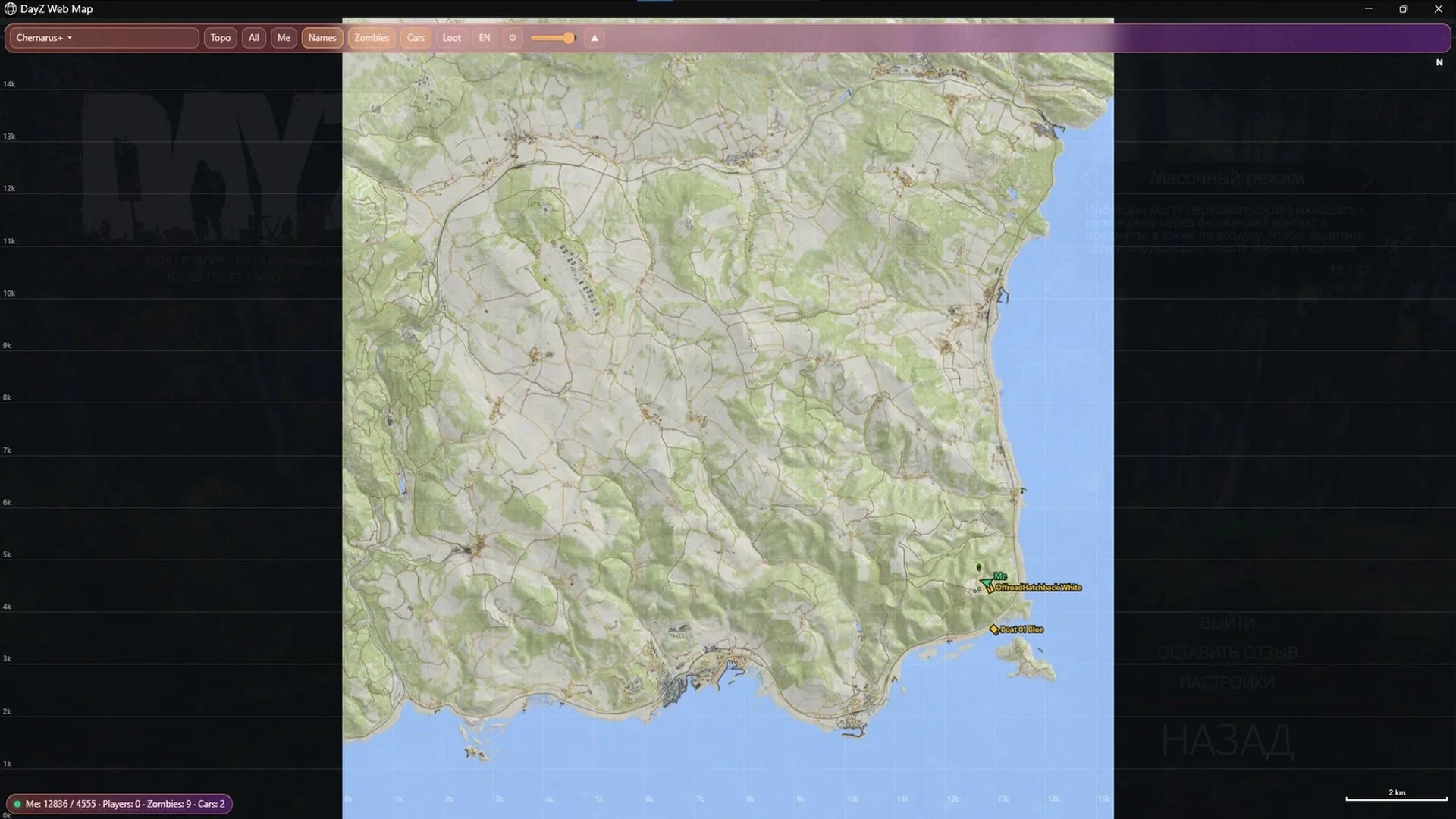
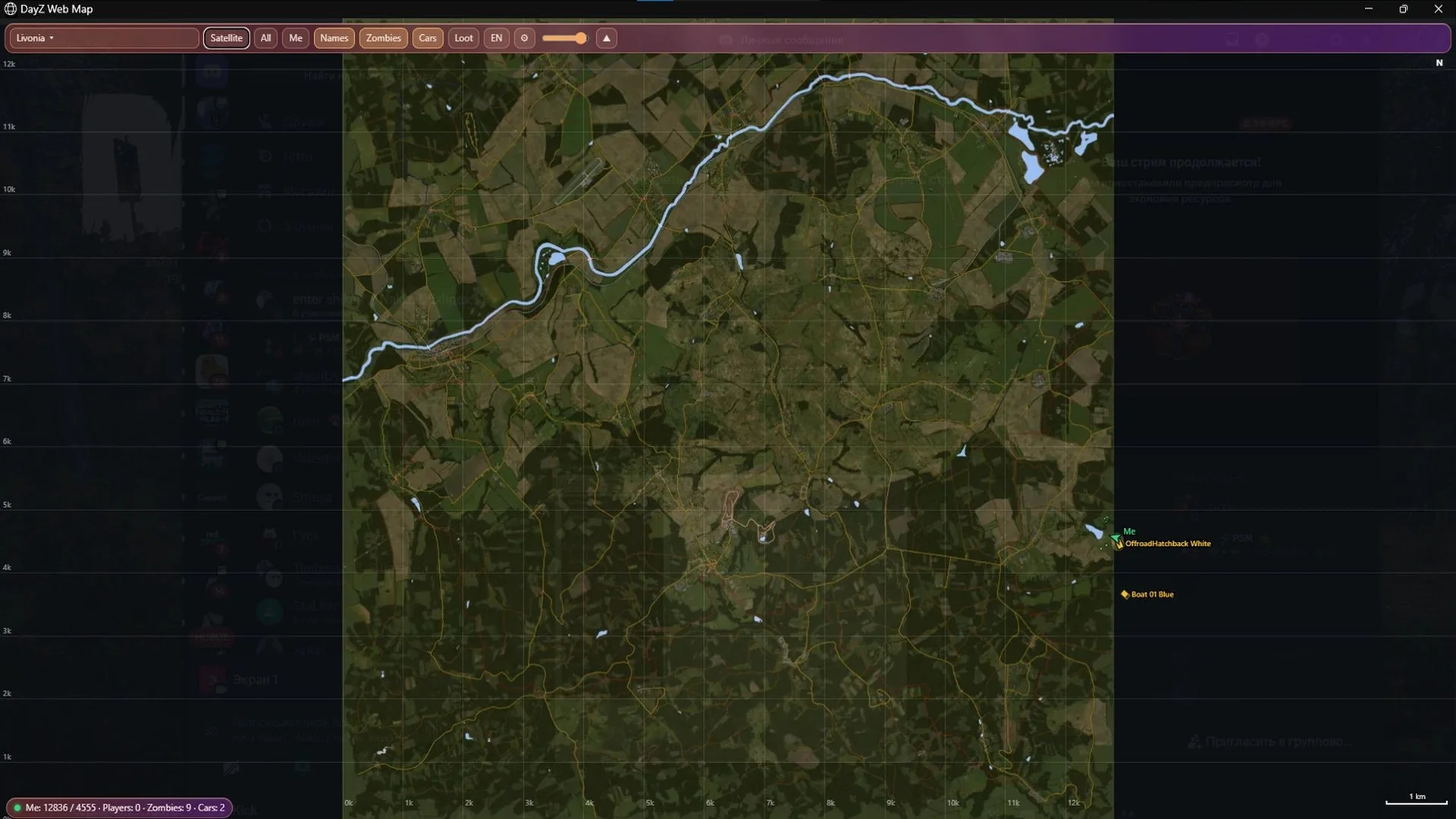
FOCUS WEB RADAR is a separate interactive web map for DayZ that presents in-game information in a single overview window. The radar tracks player positions and world objects, while loot filters let you control which item markers appear and how they look across 28 available maps. The window can stay above the game or be moved to a second monitor.
Cheat status: Updating
INTERACTIVE MAP
Satellite and topographic map modes with a display-style switch
Choose from 28 available maps using a dropdown list
Automatically detect the map currently loaded in DayZ
Zoom with the mouse wheel and pan the map by dragging
Show a coordinate grid on the map
Show a distance scale bar for the current map zoom level
Button to fit the entire map into view
PLAYER TRACKING
Marker for your character showing position and facing direction
Map-follow mode for your marker, enabled by default
Display other players with their facing directions
Toggle player nicknames above map markers
Distinct markers for dead players
Display player health
Show your coordinates and elevation in the status bar
ZOMBIES AND VEHICLES
Display zombies with a dedicated on/off button
Display cars and boats with names and directions, toggled via the Cars button
LOOT AND ITEM FILTERS
Display items lying on the ground
Remove picked-up items from the map immediately
11 loot categories: weapons, ammunition, attachments, medical supplies, food and water, clothing, backpacks, tools, spare parts, storage, and miscellaneous items
Enable or disable each loot category independently
Set a separate color for each item category
Display item names as map labels
Default filters with weapons, ammunition, and medical items enabled initially
COLOR CUSTOMIZATION
Customize marker colors for yourself, other players, zombies, and vehicles
Configure loot category colors separately
MAP WINDOW CONTROLS
Keep the map window above DayZ without automatically hiding it
Move the map to a second monitor and preserve window position
Keep the map window from taking focus away from the game
Adjust window transparency with a slider
Collapse and restore the toolbar using ▲ and ▼ controls
Reset the map window position and size
INTERFACE AND SETTINGS
Show or hide the map with a customizable hotkey, default Ctrl+Alt+M
Reset the hotkey to its default combination
Nine themes: glass, neon, military, terminal, light, frost, crimson, minimal, and sunset
Switch the interface language between Russian and English
Buy similar cheats

NEXT
from 6$
AUTHORITY smg
from 3.8$
CROOKED ARMS
from 7$
ANCIENT
from 6$
AUTHORITY LITE smg
from 2.6$
COVCHEG
from 3.1$
PHOENIX
from 3.6$
CRUSADER
from 5.1$
BTG
from 6.4$
ARCANE
from 3$
XERNEL
from 4$
CHUD
from 35$
SHACK apocal
from 13$
MASON
from 2.6$
BC
from 25$
DULLWAVE
from 3.8$
COLLAPSE
from 2.6$
MEMEZ
from 3.2$
KERNEL KERNAIM
from 30$
MIRA
from 3.8$
0XCHEATS
from 31.6$
HYPER Visor
from 3.8$
WR-C PRIVATE
from 30$
SOFTHUB
from 3.8$
KLAR
from 7$
BYSTER
from 3.8$
CHEAT ARMY
from 10$
LEX
from 8$
MEDUSA LITE
from 2.6$
VEGA
from 8$
MEDUSA
from 3.8$
PUSSYCAT
from 3.8$
TUNDRA WEB RADAR
from 3.8$