
WARDOGS - SHACK WAR DOGS
📰News: Updated the loader in the instructions
Read more...
Cheat SHACK WAR DOGS for WARDOGS
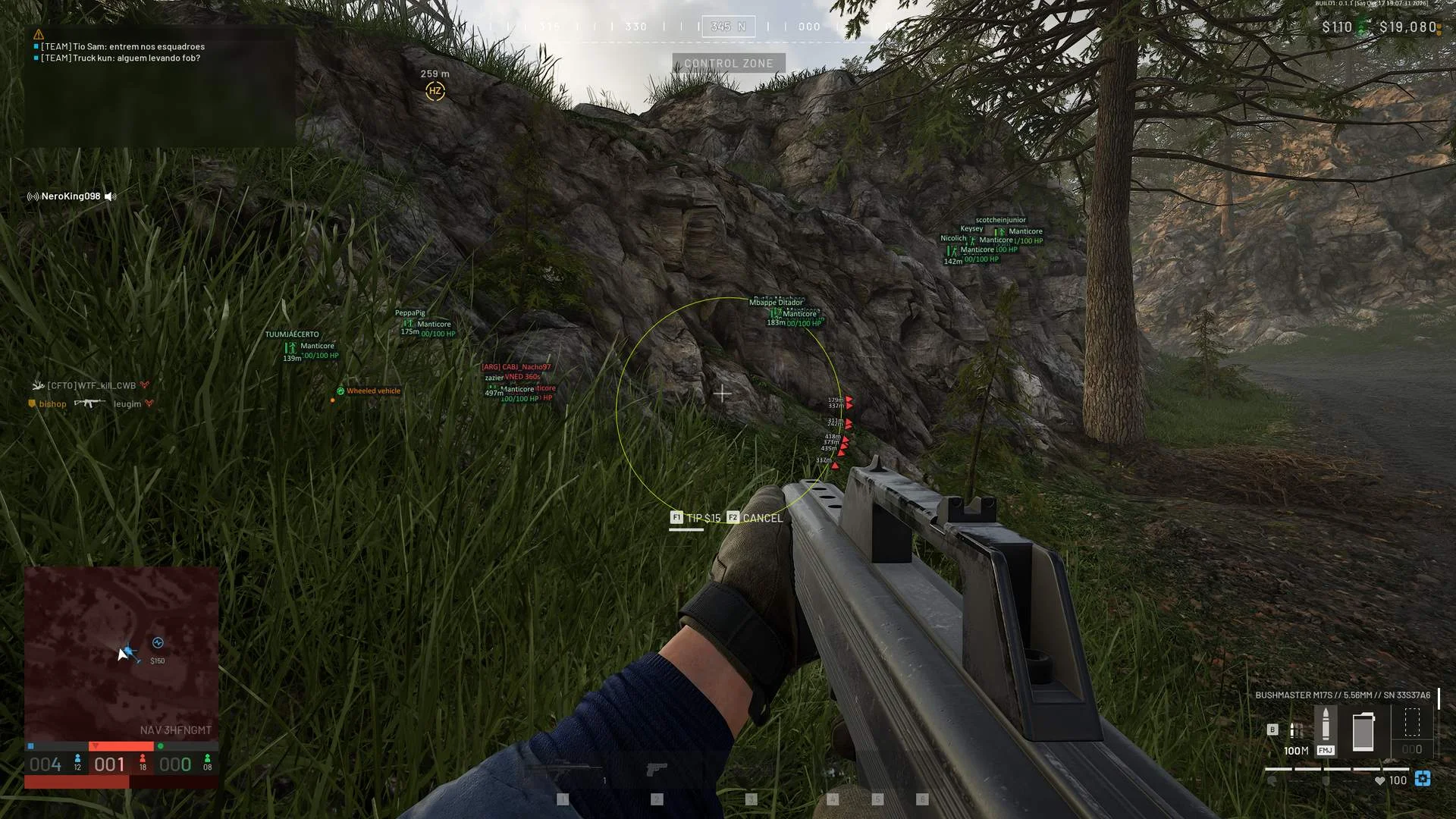
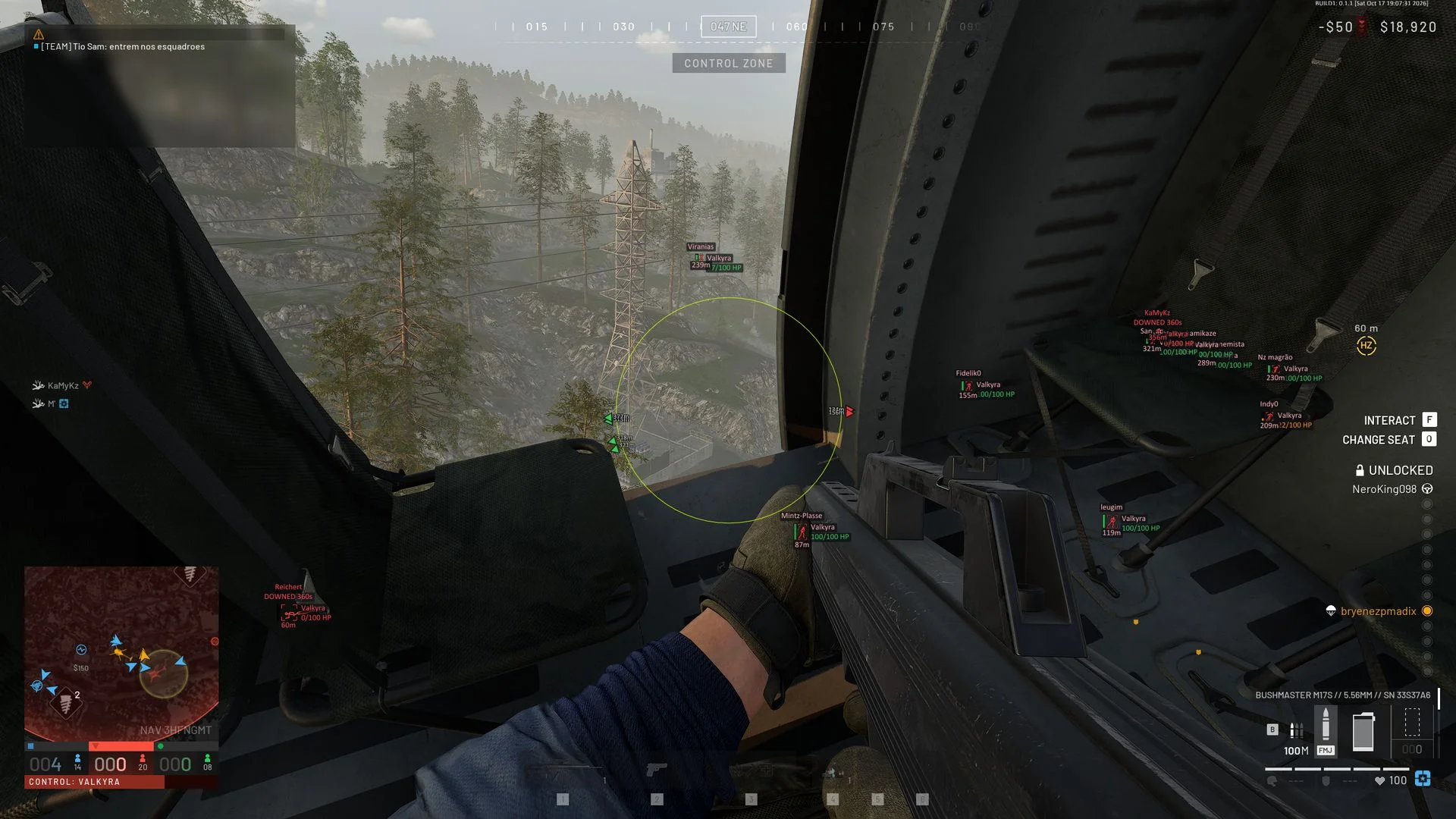
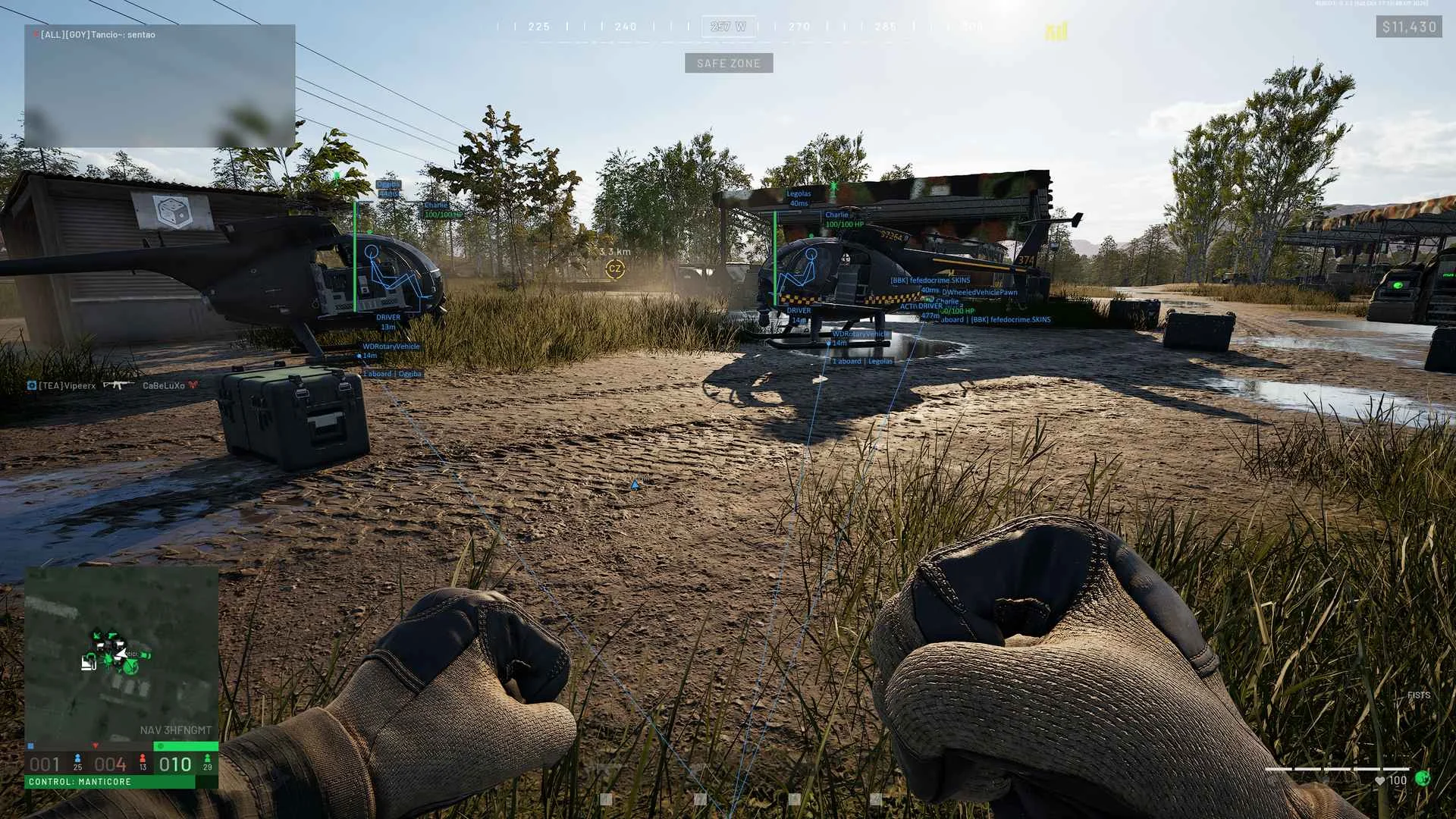
SHACK WAR DOGS is a multi-purpose cheat for Wardogs combining detailed player and battlefield information with two independently configured aimbot profiles. A tactical radar provides an additional view of nearby activity, while a mortar calculator works out aiming adjustments using projectile parameters. A 64-bit system is required.
Cheat status: Updated
PLAYER ESP — FILTERS
Separate enemy and teammate ESP profiles with independent elements and colors
Dedicated highlighting color for members of your own squad
Display filters for downed players, dead players, and bots
Visibility check with different colors for visible and occluded targets
Adjustable ESP distance from 25 to 2000 meters
Nearest-player limit, with 0 showing all players
Maximum-health filter for identifying weakened players
PLAYER ESP — INFORMATION
Player name, faction as text or emblem, and currently held item
Color-scaled health readout and distance to each player
Downed, giving-up, and dead statuses, plus the bleedout countdown
Squad and bot identifiers
Vehicle seat role: driver, gunner, or passenger
Ping and kills/deaths/assists pulled from the scoreboard
Player ID and squad name
PLAYER ESP — DRAWING
2D, 3D, corner, and 3D-corner boxes with adjustable line weight
Box background fill with opacity adjustment
Skeleton rendering with adjustable stroke width
Head indicator using either a circle or a solid point
Black outline around ESP elements for bright scenery
Snap lines originating from the bottom, center, or top of the screen
Off-screen indicators arranged on a ring or the screen border
ESP HEALTH AND COLORS
Eight health bar designs: framed, classic, segmented, line, glossy, pill, gradient, and neon
Health bar placement on any side of the player box
Damage fading, overheal strip, and a pulse for downed status
Numeric HP displayed at the filled end of the bar
State-based or Lonestar, Valkyra, and Manticore faction colors
Individual colors for boxes, skeletons, head indicators, lines, and text
Special colors for downed, targeting-you, bot, and vehicle-occupant states
VEHICLE ESP
Master on/off switch for vehicle ESP
Vehicle name, crew faction, and distance display
Crew faction rendered as a name or logo
Current and maximum fuel readouts
Total occupants, enemy occupants, and driver name
Bounding box sized to the actual vehicle model
Vehicle snap lines and rendering distance up to 5000 meters
Option to hide unoccupied and friendly vehicles
Filters for wheeled, tracked, helicopter, airplane, and stationary vehicles
Color selection by global setting, crew team, faction, or vehicle model
Per-model visibility filters and colors
FOB ESP
Forward operating base markers with names and distances
FOB state shown as active, disabled, or destroyed
Display of a forward base damage stage
Friendly-base filter and faction-based color
FOB ESP visibility range of up to 5000 meters
EXPLOSIVE ESP
Markers for C4, IEDs, antitank mines, and Claymore devices
Explosive type, armed state, and distance
Filter to conceal friendly explosives
Faction-specific highlighting for explosive markers
Explosive visibility distance adjustable from 10 to 1000 meters
GROUND LOOT ESP
Ground item name, distance, and connecting snap line
Item category tags and compact item-name labels
Ground-loot detection range from 10 to 1000 meters
DEATH BACKPACK ESP
Dropped backpack markers with distance information
Contents display for backpacks previously inspected
Compact summary of the highest-priority item and item count
Full contents list activated by holding a key
LOOT FILTERS
Ten classes: weapons, ammunition, magazines, medical, throwables, armor, attachments, tools, supplies, other
Category-based item colors with custom color selection
Three per-item priorities: default, wanted, or hidden
Wanted items visually emphasized and prioritized in the list
Item-name search and a dedicated wanted-item highlight color
AI AND MOVER ESP
Independent display toggle for AI and other moving non-player entities
Entity class identifier and distance
Current and maximum health of an AI or mover
Connecting line, custom color, and a 25–2000 meter range
AIMBOT — TARGETS
Two independent aim profiles with their own keybinds, target rules, and settings
Targets include players, bots, and AI; teammates and dead targets are excluded
Visible-only target selection with bone-specific line-of-sight checks
Hold activation using mouse buttons, modifiers, or keyboard keys
Hit point selection: head, neck, chest, pelvis, stomach, or closest to crosshair
AIMBOT — TRACKING
Aim smoothing from 1 to 100 and persistent target lock
Target priority by distance, crosshair alignment, human players, or bots
Target-change delay from 0 to 1000 ms and hit chance setting
A 5–300 pixel FOV radius with adaptive sizing
Maximum aim distance configurable between 10 and 2000 meters
BALLISTICS AND WEAPON TOOLS
Ballistic lead calculation using projectile speed, drag, and gravity
Projectile parameters read from equipped weapon and loaded ammunition
Fallback projectile speed and drag when weapon values are unreadable
Visual marker for the predicted aim location
No Recoil covering the main pattern and residual kick
No Spread adjustments for baseline accuracy and movement spread
No Sway for aiming motion and animation-based movement
Restoration of original weapon values when toggles are disabled
AIMBOT VISUALS
Aim FOV circle with an independent color
Alternate FOV color while a target is locked
Locked target label, distance, and projectile travel time
MORTAR CALCULATOR
Mortar target selection from players, vehicles, and FOBs
Mortar calculation range from 50 to 5000 meters
Sticky target selection and next/previous target hotkeys
HUD showing required, current, and delta values for range and yaw
HIT indicator once range and yaw are aligned
Configurable tolerances for both range and yaw
Mortar shell speed detection with manual override
Mortar shell drag taken into account
Predicted impact marker, landing ring, and target cross in the world
Mortar target and forecast landing point displayed on radar
RADAR — TRACKED ENTITIES
Radar markers for players, AI, vehicles, loot, FOBs, explosives, and self
Radar layout position on X/Y axes and adjustable display radius
Radar range configurable from 25 to 2000 meters
56 vector icon options across nine thematic icon groups
Faction emblems for personnel and vehicles
Letter-coded wheeled, tracked, helicopter, airplane, stationary, and mortar markers
Adjustable marker size
RADAR — DISPLAY STYLE
Tactical, Minimal, Classic, and Custom appearances with undo support
Background, border, grid, and scan-effect controls
Labeled distance rings and bearing guides
World-axis compass that follows camera rotation
Axis markers and compass degree labels
Entity count, range readout, and object list panel
Distance-dependent sizing, movement trails, and contact pings
Threat glow along the radar perimeter
HUD AND INTERFACE
Custom on-screen crosshair with color and size adjustments
FPS counter with configurable color
Warning banner when an administrator spectator camera is present
Fight mode showing only player overlays while hiding AI, vehicles, and loot
HOTKEYS
Hotkeys for opening the menu and switching fight mode
Keys for toggling player and item ESP
Independent bindings for both aimbot slots
FOV and hit point cycling keys for each aim profile
Master keybind option limiting hotkeys to times when the game is focused
CONFIGURATION MANAGER
Complete configuration import and export using JSON text
Clipboard copy for configuration data
Cloud configuration library with public and per-machine private entries
Publish your own profiles, vote on others, and delete your entries
MENU AND STATUS
Nine menu languages including Russian and English
Accent themes: champagne, ice, mint, rose, and violet
Status screen showing verified game build and reader module states
Cheat Update history
Updated the loader in the instructions
2026-06-06 16:12:56
Updated the loader in the instructions
2026-06-06 13:45:55
Weve updated the loader; if you encounter an error, simply download the new version.
2026-05-26 17:18:12
Buy similar cheats

ANCIENT
from 3$
KERNEL / KERNAIM
from 12$
FECURITY
from 3$
SMG
from 3.8$
DIVISION
from 24$
DULLWAVE
from 3.8$
GHOST
from 3.8$
BYSTER
from 3.2$
MEMEZ
from 2.5$
CROOKED ARMS
from 3.8$
GHOST ESP
from 2.6$
LEX
from 4.5$
HYPER VISOR
from 3.2$
KLAR
from 6$
PUSSYCAT
from 3.8$
ARCANE
from 4$
UDP
from 3$
UNKNOWN
from 2.5$
CONNECT
from 5$
WING RADAR
from 55$
PHOENIX
from 3.2$