
Cheat WING RADAR for WARDOGS
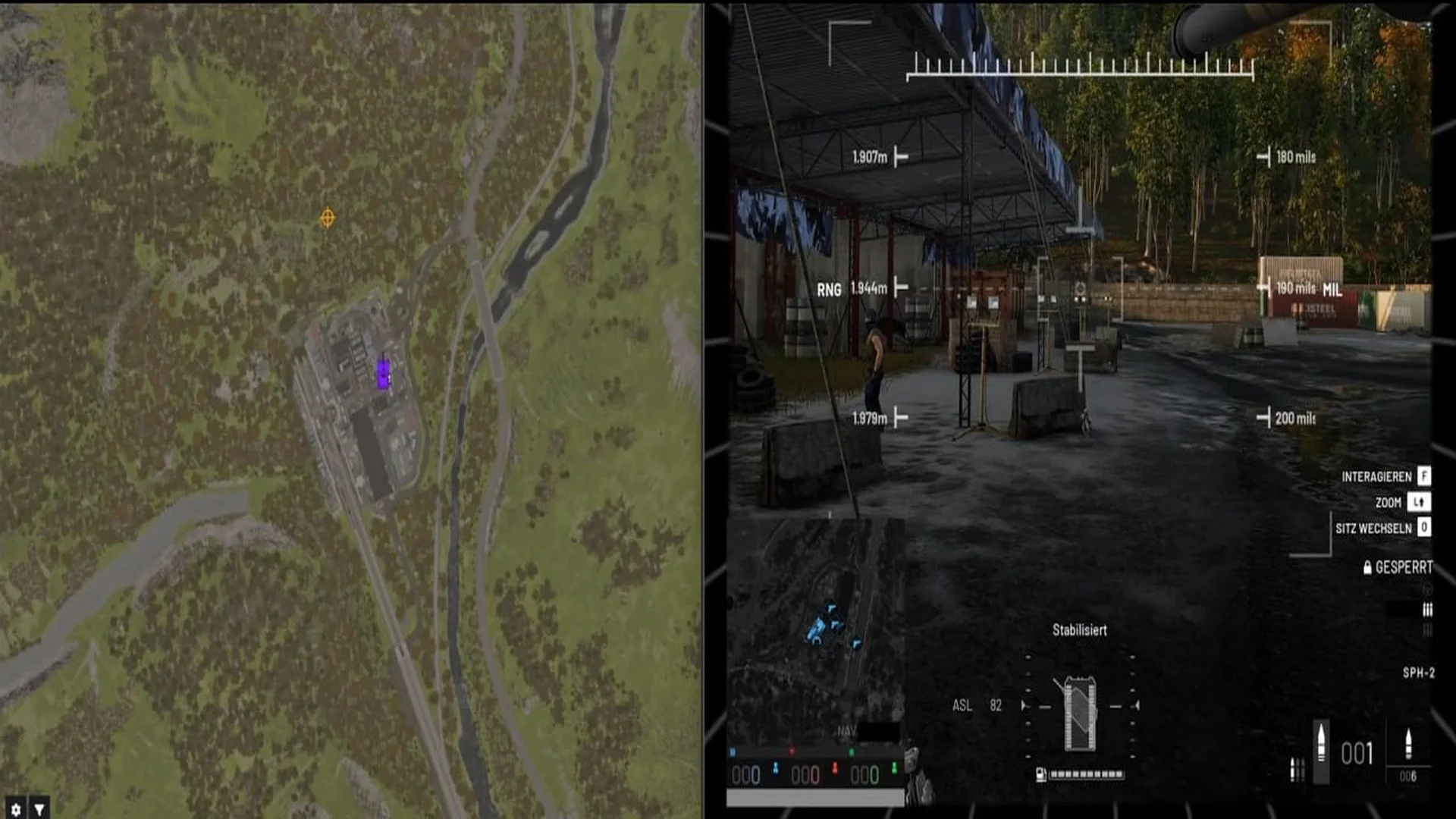
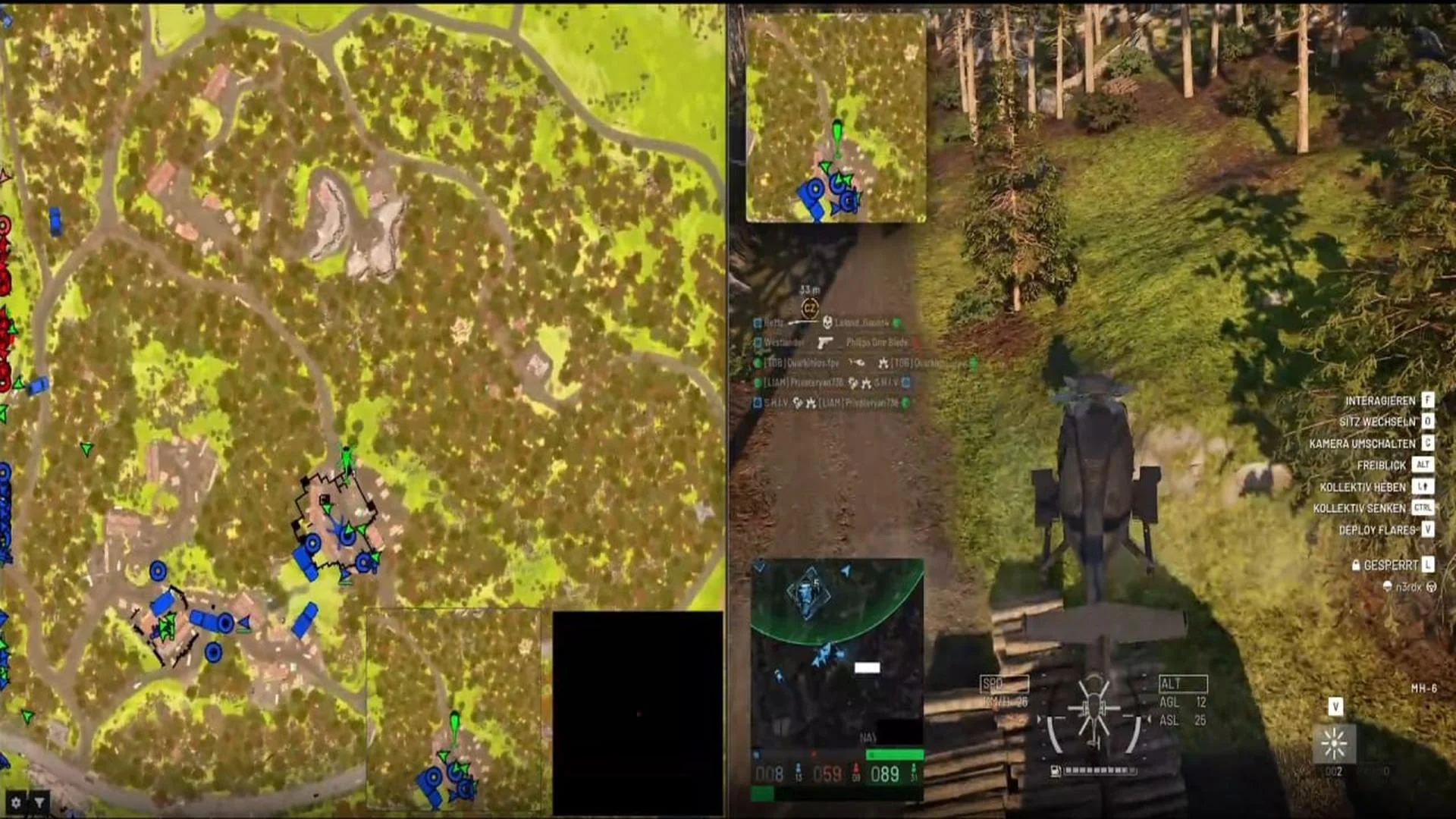
WING RADAR is a cloud-hosted web radar for Wardogs that displays players and in-game objects on a configurable map. Teammates can share a session while each viewing the radar from their own perspective. Additional display modes and filters complement the main radar without cluttering the map with persistent labels.
Cheat status: Updated
WEB RADAR
Cloud-hosted web radar
View radar on a second monitor, another computer, an iPad, or a Steam Deck
Shared radar sessions with each teammate viewing from their own perspective
Supports mouse and touchscreen controls
MAP CONTROLS
Icon-driven map presentation without persistent text clutter
Icon colors indicate elevation difference relative to the player, above or below
Pan, zoom, and rotate the map using mouse or touch gestures
Lock map rotation to the player
Show the player with an aimline
Automatically zoom out at high movement velocities
PLAYER RADAR
Display player aimlines
Configure aimline length, width, color, and dashed style
Option to show an aimline only while aiming at a player
Show player name, health, and equipment on hover
Separate highlighting for team, squad, and enemies
VEHICLE RADAR
Unique icon for each vehicle type
Show passenger count for occupied vehicles
MORTARS AND ARTILLERY
Radar for stationary weapons, mortars, and artillery
Mortar impact prediction marker
Physics- and terrain-based artillery impact prediction marker
Icons for mortar shells, artillery shells, and UAVs
Use the stationary weapon rotation when operating it
INFORMATION TOOLTIPS
Hover tooltips for players and vehicles
Sticky tooltips that remain anchored to players
Editor for tooltip content and appearance
Configurable display of names, distance, equipment, and health
ITEM RADAR
Show dropped items and items in nearby containers
Configure item marker size and scaling behavior during map zoom
Item filtering across nine categories
Custom lists and a priority filter
Automatically filter ammo, magazines, and attachments by compatibility with current weapons
3D RADAR
3D view of items and players from the user perspective
Teammates can use the 3D radar
Show the 3D radar as an overlay or popout window
MINIMAP
Separate radar view in a minimap
Anchor the minimap to the player or view it freely
Show the minimap as an overlay or popout window
HOTZONE
Show the current location and radius of the hotzone
BUILDABLES
Show every built object with its exact in-game extents
HOTKEYS
Hotkeys usable in-game
Toggle features and interact with the map through hotkeys
Buy similar cheats

ANCIENT
from 3$
KERNEL / KERNAIM
from 12$
FECURITY
from 3$
SMG
from 3.8$
DIVISION
from 24$
DULLWAVE
from 3.8$
GHOST
from 3.8$
BYSTER
from 3.2$
MEMEZ
from 2.5$
CROOKED ARMS
from 3.8$
GHOST ESP
from 2.6$
LEX
from 4.5$
HYPER VISOR
from 3.2$
KLAR
from 6$
PUSSYCAT
from 3.8$
ARCANE
from 4$
UDP
from 3$
UNKNOWN
from 2.5$
CONNECT
from 5$
SHACK WAR DOGS
from 8$
PHOENIX
from 3.2$