
ROB RUN - ARCANE
📰News: Updated, available for purchase and play!
Read more...
Cheat ARCANE for ROB RUN
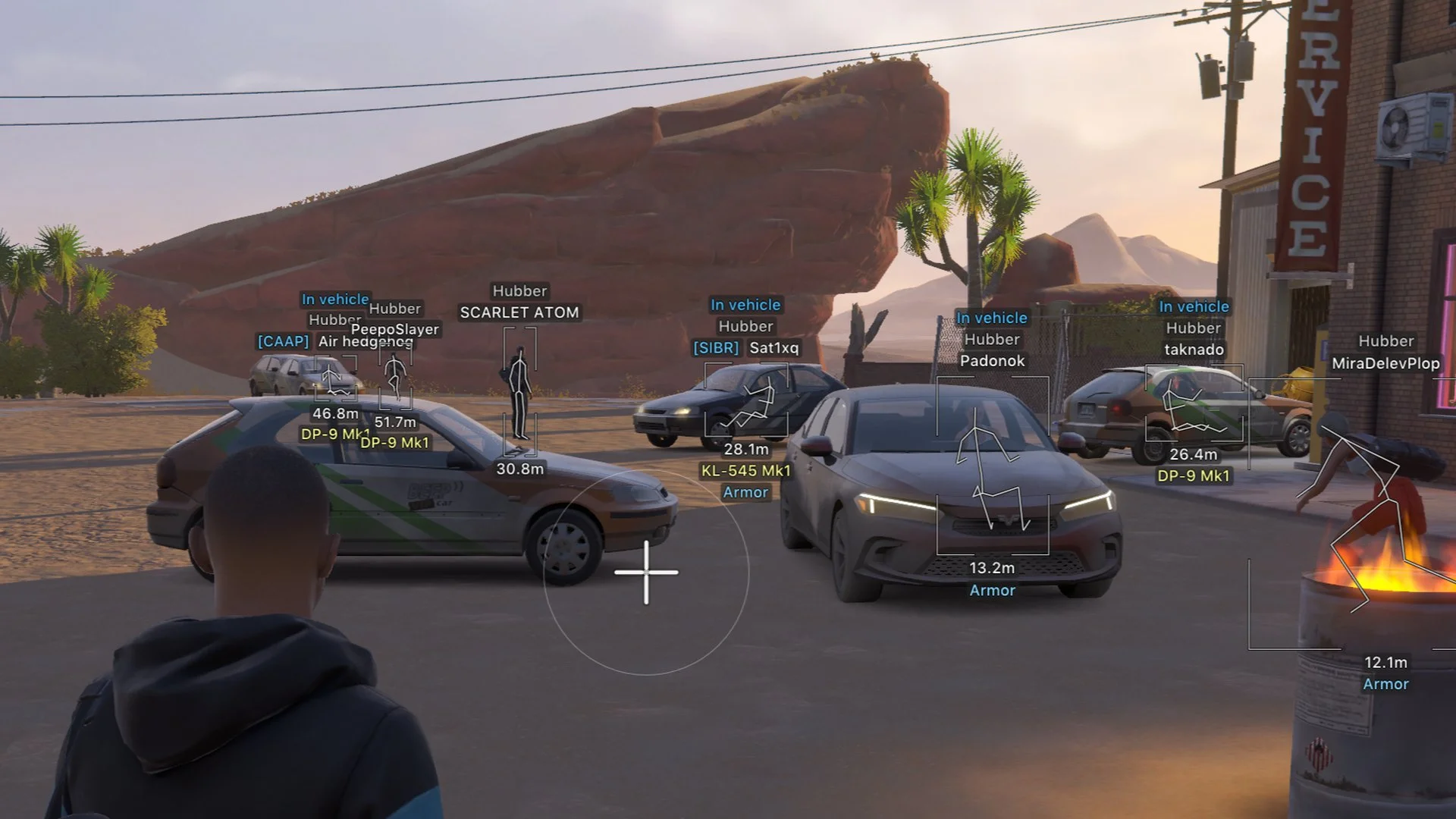
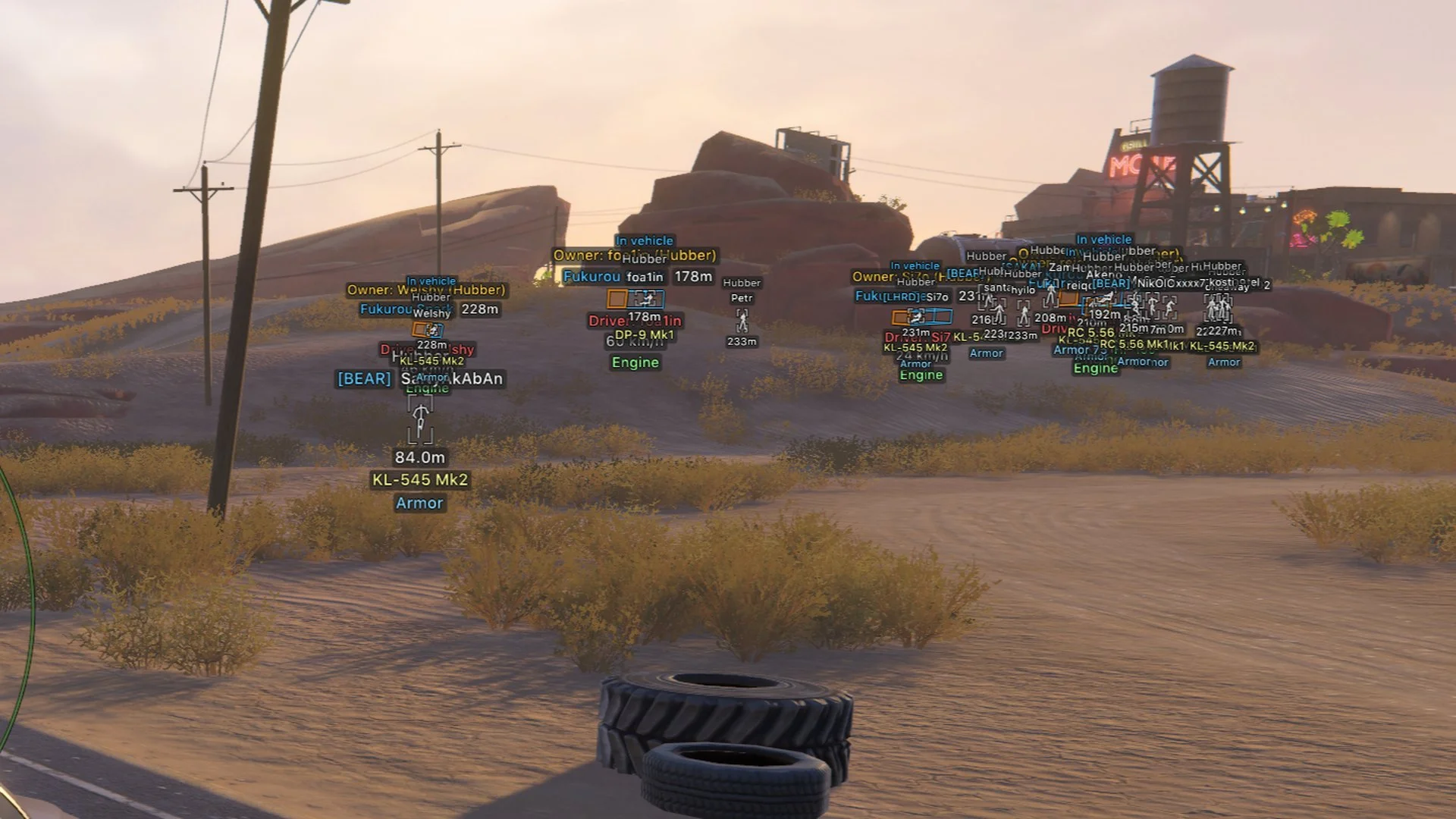
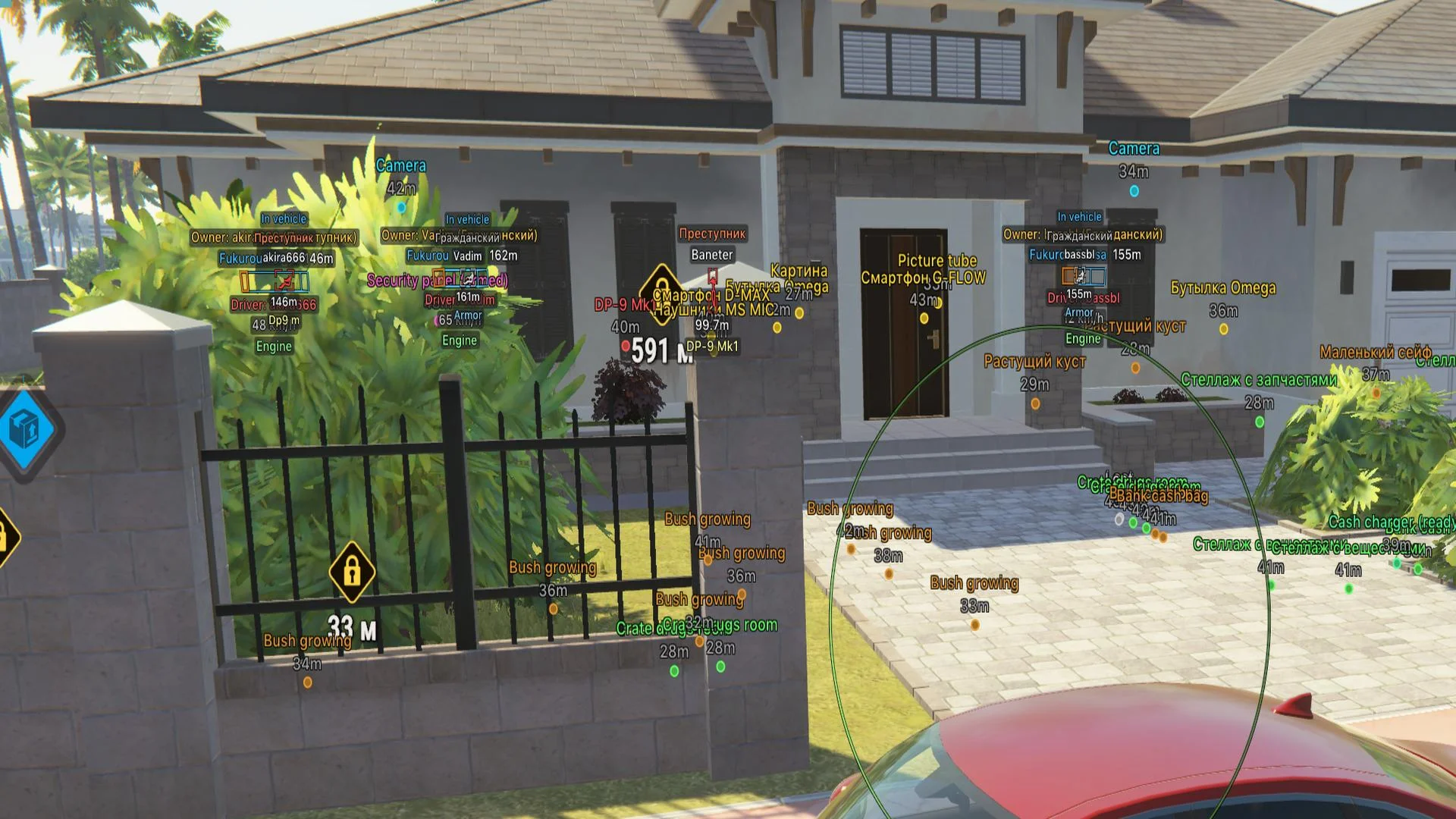
ARCANE is a multifunctional cheat for Rob Run that combines a configurable aimbot with ESP for players, NPCs, vehicles and in-game objects. The radar and combat mode complement the visual features and let users choose which information is shown during gameplay. It requires AES support from the processor and at least 16 GB of RAM.
Cheat status: Updated
AIMBOT
Settings by weapon category: general, pistols, assault rifles and other weapons
Enable aimbot
Activation keybind
Force-aim keybind
Aiming only while scoped in
Target lock
Aim at the head with the Shift key
Maximum aiming distance
Target-switch delay
Humanized aim movement with adjustable strength
Ignore dead targets
Ignore targets inside vehicles
Ignore knocked targets
Target groups: police officers, robbers, civilians and NPCs
Bone selection: selected bones or closest bone
Aim bones: head, neck, torso, pelvis and others
Activation mode: hold key or always active
Target-movement prediction with adjustable strength
Prediction crosshair with adjustable size
Adaptive FOV targeting area
FOV border display with adjustable thickness
FOV background display
Locked-target indicator
FOV size adjustment
Aim smoothness adjustment
PLAYER ESP
Player categories: police officers, robbers and civilians
Enable player ESP
ESP preview
ESP style: without background or with background
Maximum ESP distance
Boxes: 2D, 3D, standard and corner styles
Box height adjustment
Box width adjustment
Box fill: solid or gradient
Skeleton: thickness, head circle and distance fade
Line to enemy with color and position settings
Hide dead players
Hide teammates
Team colors: box and skeleton
Hide knocked players
Knocked-player colors: box and skeleton
Player name
Clan tag
Player role
Held item
Player armor
Player state
Player health
Player-in-vehicle indicator
In-vehicle player colors: box and skeleton
Distance to player
Player ID
NPC ESP
Enable NPC ESP
NPC ESP preview
ESP style: without background or with background
Maximum NPC ESP distance
Hide dead NPCs
Boxes: 2D, 3D, standard and corner styles
NPC name
NPC state
Distance to NPC
VEHICLE ESP
Enable vehicle ESP
ESP style: without background or with background
Maximum vehicle ESP distance
Show occupied vehicles only
Hide own vehicle
Hide the vehicle currently occupied by the player
Boxes: 2D, 3D, standard and corner styles
Front box face with configurable fill
Box fill: solid or gradient
Line to vehicle with color and position settings
Vehicle name
Distance to vehicle
Vehicle owner
Vehicle driver
Vehicle speed
Vehicle status
CAMERA ESP
Enable camera ESP
Maximum camera ESP distance
Distance to camera
Hide broken cameras
Separate colors for normal cameras, broken cameras and alerts
Camera field of view with fill option
ITEM ESP
Enable item ESP
Maximum item ESP distance
Distance to items
Hide empty objects
Object types: loot, loot points, cargo, cash chargers and others
Loot filters: weapons, ammunition, armor, equipment and other categories
RADAR
Enable radar
Distance rings
FOV cone display
Scale markers by distance
Radar zoom
Radar size
Radar transparency
Radar entities: police officers, robbers, civilians, NPCs and others
Maximum radar distance
Show markers on radar rim
OFF-SCREEN INDICATORS
Enable off-screen indicators
Indicator radius
Indicator size
Maximum indicator distance
WEAPON SETTINGS
No Recoil
No Sway
No Spread
COMBAT MODE
Combat-mode activation keybind
Combat-mode indicator
Compact information display
Hide dead entities
Hide radar
Hide off-screen indicators
Configurable hidden categories: police officers, robbers, others, vehicles and more
INTERFACE SETTINGS
Menu keybind
Unload keybind
DPI scale: 100%, 125% or 150%
Vertical synchronization (VSync)
FPS limit
Theme: dark or light
Watermark
Menu layout: one or two columns
Interface language: Russian, English or Chinese
CONFIGURATIONS
Create a new configuration
Load configuration
Save configuration
Rename configuration
Delete configuration
Cheat Update history
Updated, available for purchase and play!
2026-11-15 18:43:43
Updated, available for purchase and play!
2026-11-13 09:17:16
Fixed all functions after update
2026-11-12 09:43:18


