
Cheat VENGEANCE for ROB RUN
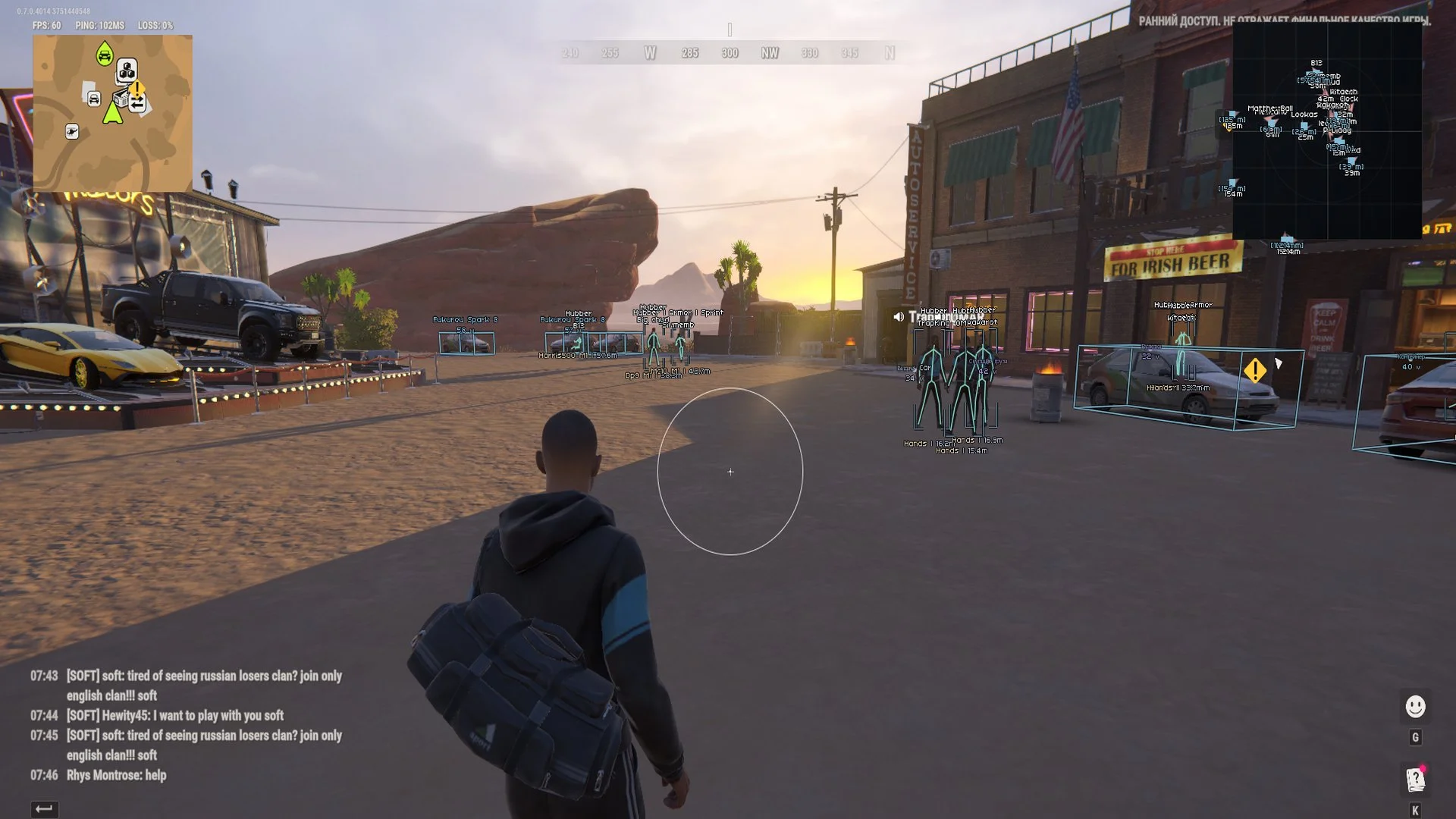
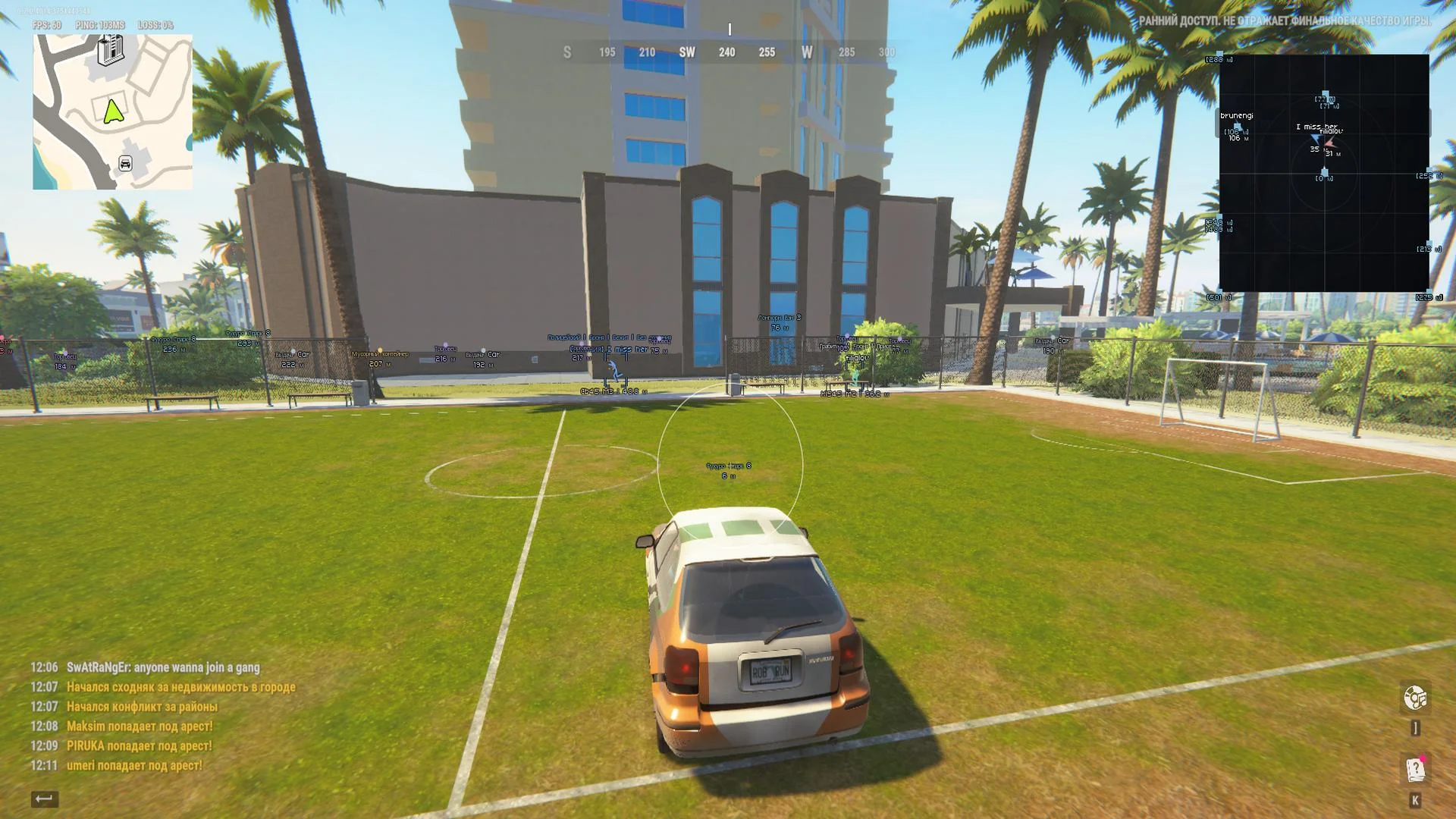
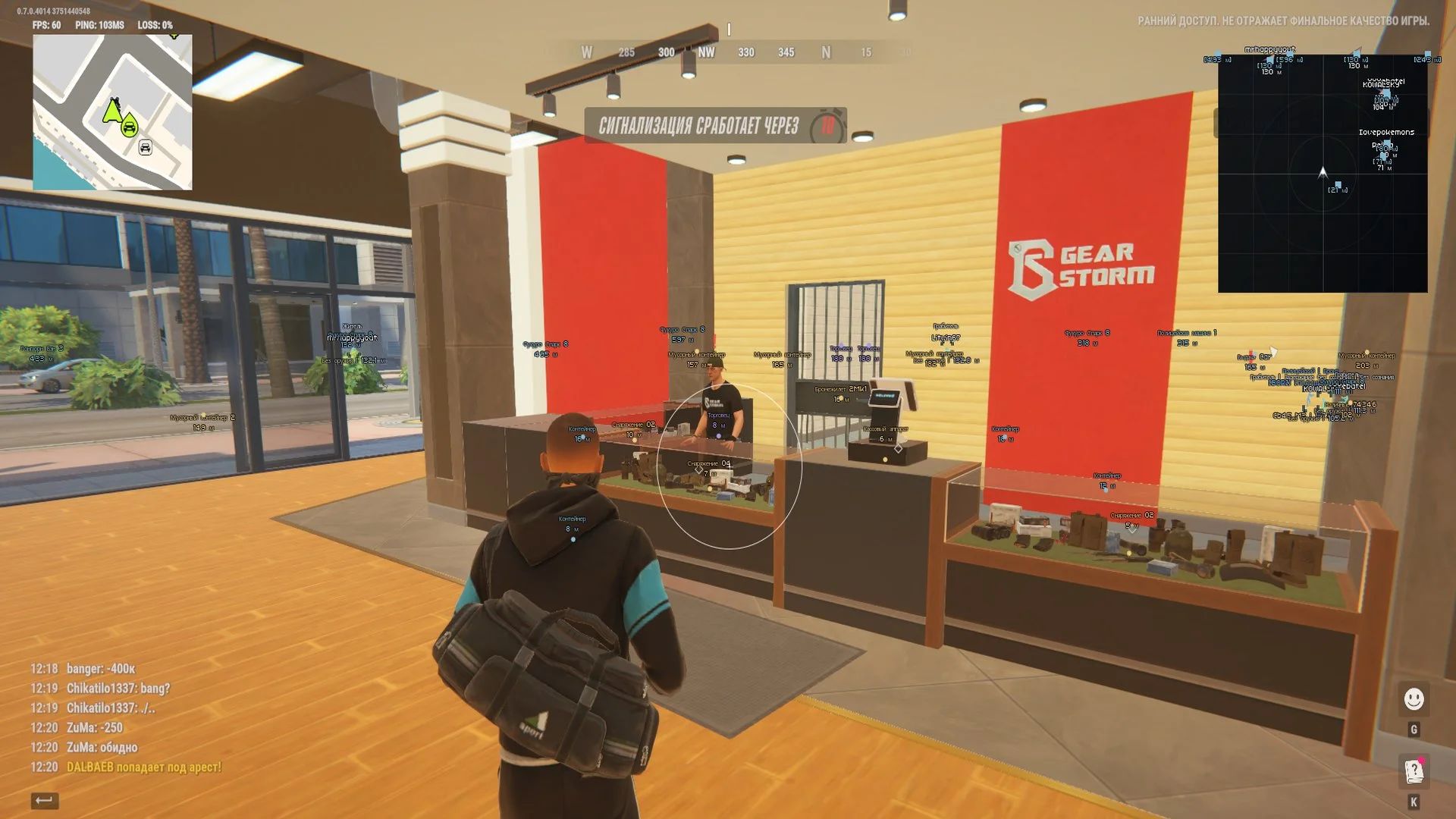
VENGEANCE is a ROB RUN cheat focused on displaying players and world objects. Its separate radar complements ESP and supports a BattleMode view that filters enemy contacts. The product has Full and Lite editions: aiming is available only in Full, while Lite retains visual tools, the radar, BattleMode and configuration profiles.
Cheat status: Updated
VERSIONS AND CONTROLS
Full edition: aimbot configuration and operation
Lite edition: ESP, world objects, radar, BattleMode and profiles without active aimbot functionality
Open and close the menu with Right Shift
Aiming pauses while the menu is open
Global visual-overlay toggle separate from the aimbot
Menu sections: aim, visuals, world, radar, miscellaneous and configurations
AIMBOT — FULL
Hold a configured key to activate aiming while the game window is active
Configurable keyboard or mouse button; right mouse button by default
Aim FOV radius from 10 to 500 pixels, prioritizing the target closest to the center
Aim smoothing from 1 to 30; higher settings produce slower movement
Target bone selection: pelvis, chest, neck or head
Maximum targeting distance from 10 to 1000 meters
Optional NPC targeting; the local player and dead characters are excluded
Display of a single FOV circle with adjustable color
Aiming pauses on focus loss, when the menu opens or when game data becomes stale
BATTLE MODE
BattleMode keeps enemies visible in ESP and on radar while hiding world markers and vehicles
BattleMode indicator displayed next to the enabled radar
Configurable toggle key, F6 by default
Single-press toggling without repeated activations while held
Clan-battle filtering recognizes attacking and defending sides and hides the player’s own side
Open-world filtering hides the player’s own clan and, when playing as police, other police officers
Filtering of dead players and regular NPCs, with separate handling for police NPCs
BattleMode does not overwrite saved ESP category toggles
PLAYER ESP
Main player ESP toggle independent of radar settings
Player names with optional clan, COP and ID labels
Skeleton based on measured joints with smoothed poses and preserved bone lengths
Temporary retention of measured poses during data gaps up to 150 ms
Full and corner bounding-box styles without character model filling
Player distance displayed in meters
Health bar when both current and maximum HP values are available
Player ESP range from 10 to 1000 meters, separate from radar scale
Independent police filter with COP label and dedicated color
Independent toggles for NPCs, dead players and the local player
In-menu preview of ESP boxes, skeletons, labels and indicators
EQUIPMENT AND LABELS
Held weapon or item when its description is available
Armor-presence indicator with a numeric value when available
Separate character-role and clan-tag toggles
State labels for firing, running, crouching, reloading, arrest and knockdown when available
Character entity ID in the ESP label
Skeleton line thickness from 1 to 4
VEHICLE ESP
World ESP for cars and helicopters
3D vehicle boxes when geometry and orientation data are available
Vehicle name above the marker and distance below it
Vehicle ESP range from 20 to 1500 meters
Owner name or available-vehicle label when data are available
Count of detected passengers associated with a vehicle
Engine state and cargo presence when data are available
Optional detailed vehicle information within 10–500 meters
Vehicle speed in km/h in detailed labels when available
ITEMS AND CONTAINERS
ESP for loose world items and cash locations
Item count or cash amount in labels when available
Item distance from 10 to 1000 meters, also subject to the world range limit
Markers for loot nodes, bags and accessible vehicle wreckage
Markers for containers, furniture and supported storage objects
Optional display of empty or collected objects when their state is known
Separate cargo-object layer
Global world-object range from 10 to 1000 meters
Two-line world labels with the name above the distance
Overlapping label avoidance, prioritizing item labels over vehicles
Russian names for supported items, containers and vehicles while retaining weapon model identifiers
Retention of last valid markers for up to 1.5 seconds during read failures
CAMERAS AND MAP OBJECTS
Security camera ESP with available broken-state indicators
Incremental security-camera scanning and caching
Stationary guard-post markers
Alarm and security-panel markers
Separate medical cabinet and medical-point markers
Visible doors and associated interaction points
Filters for other interaction points and points of interest
Trader and vehicle-spawn markers
Hideout and workbench markers
Separate bank and roulette filters
RADAR
Radar with grid, character markers and a compact local-direction arrow
Optional camera-aligned radar rotation, enabled by default
Radar size from 100 to 400 pixels
Manual radar zoom from 0.05 to 5.00
Radar screen positioning with X and Y coordinates
Character-direction arrows and available labels with distance
Distant contacts are clamped to the radar edge with reduced emphasis
Separate radar-vehicle toggle independent of world ESP
Radar name and distance-label toggle without hiding icons
Police, NPC and BattleMode filters applied to corresponding radar contacts
Dedicated radar-contact color and separate police palette
RADAR AUTO ZOOM
Smooth zoom-in when an eligible living character is nearby
Return to manual zoom when the nearby contact leaves
Auto-zoom reaction distance from 30 to 500 meters
Maximum auto zoom from 0.05 to 5.00 without zooming out below the manual setting
Auto-zoom response time from 0.15 to 2.00 seconds
Exclude own clan, dead players, regular NPCs and allied police from zoom triggers
Auto zoom preserves the manually configured base zoom
COLORS AND APPEARANCE
Individual colors for names, boxes, skeletons, weapons, distance, health and police
Separate colors for vehicles, items, containers, medical and security objects
Color and opacity controls for supported ESP elements
Separate FOV-circle and menu-accent colors
Restore the default color palette by button
World-label size setting from 9 to 20 pixels; rendered text size depends on the loaded ESP font
INTERFACE AND DIAGNOSTICS
Russian and English interface with switching without restart
Menu scale of 75% or 85% with viewport fitting
Animated menu background and customizable accent color
Settings search by Russian and English names
Diagnostics for player, skeleton, vehicle and object counts, read time and snapshot age
In-game ESP rendering beneath the menu
Automatic session and Discord.exe termination after confirmed exit from ROB RUN
CONFIGURATIONS
Named profiles and list of saved JSON configurations
Create a new profile without overwriting an existing one
Save current settings with the option to overwrite a selected profile
Load a profile containing aim, ESP, radar, BattleMode and appearance settings
Rename and delete selected profiles
Refresh the saved-profile list
Autosave current settings to the default profile


