
Cheat LEX for ROB RUN
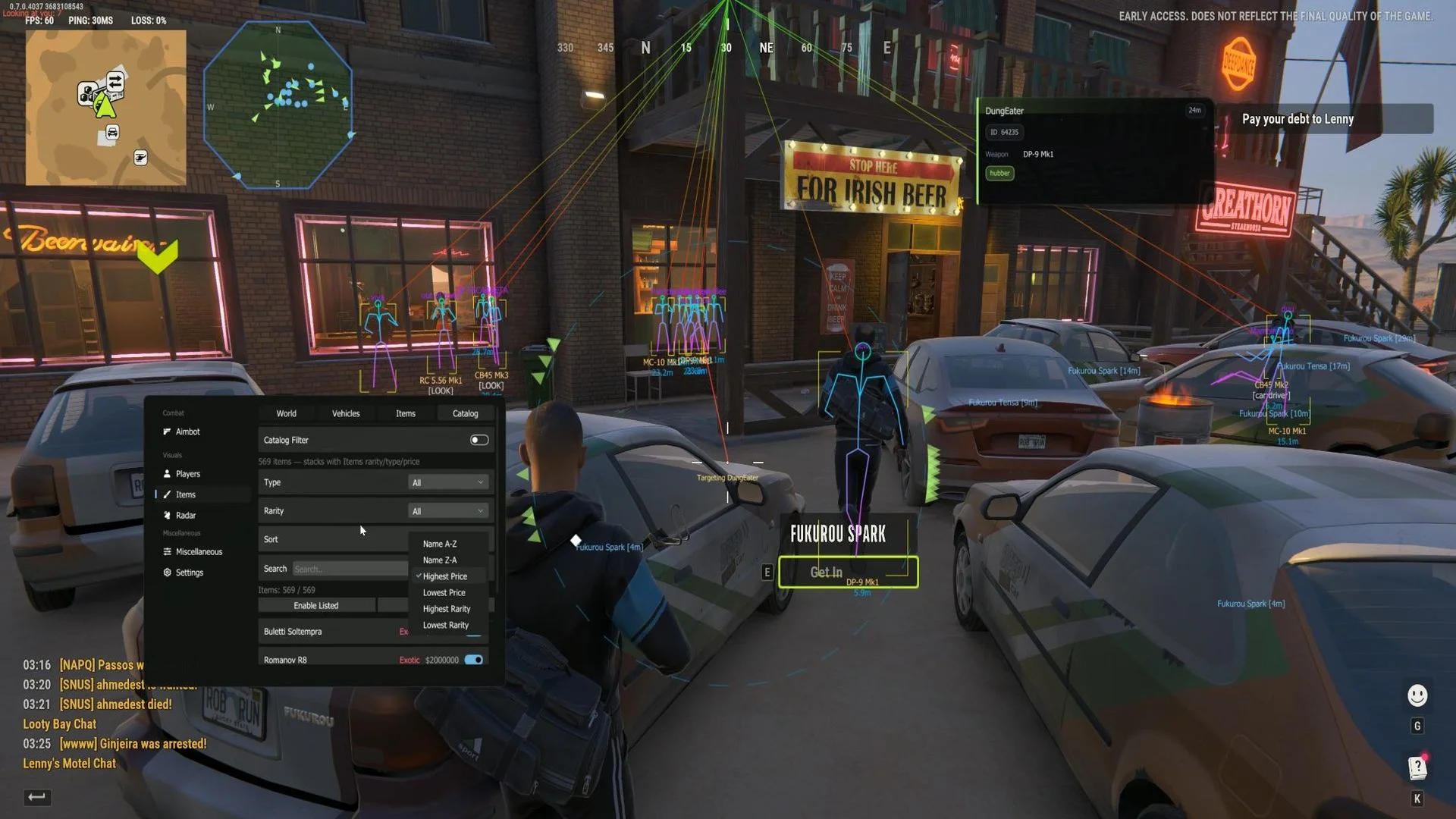
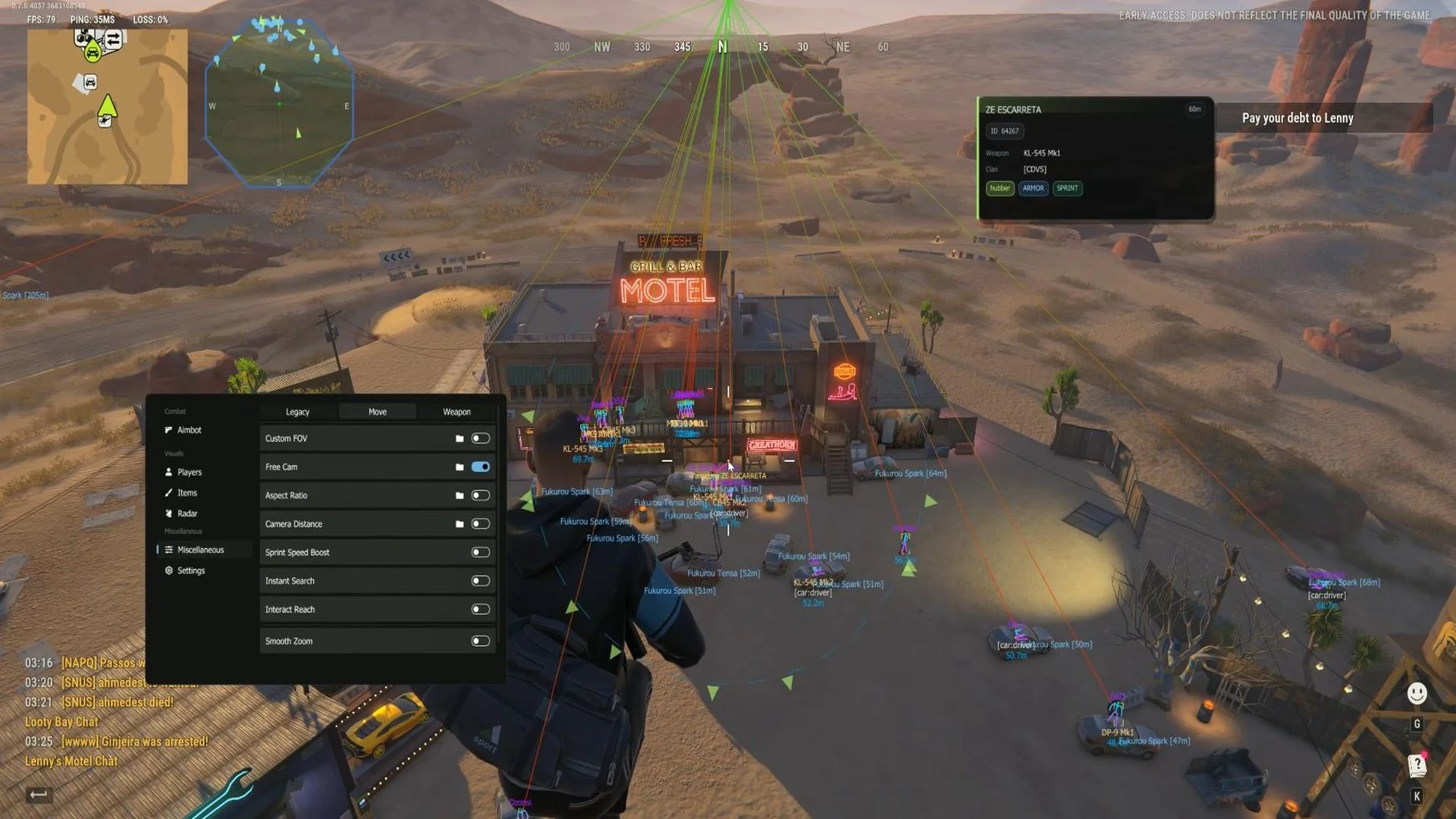
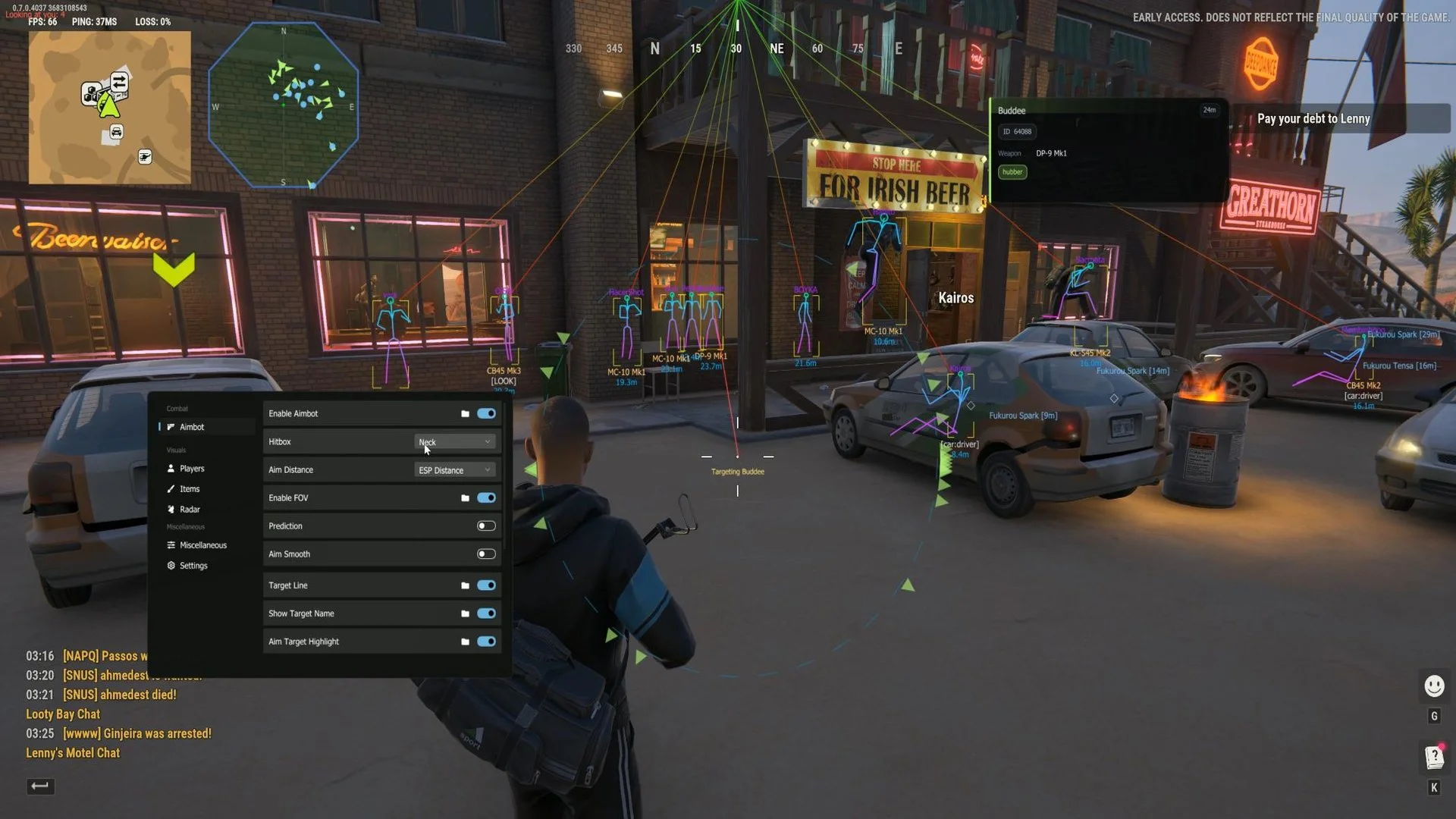
LEX is a multifunctional cheat for Rob Run that combines configurable aiming with detailed awareness of players and the surrounding world. Its visual settings let users distinguish character roles, choose which objects to display and customize radar presentation. Additional options cover loot information, camera and movement controls, while configurations can be saved for later use.
Cheat status: Updated
AIMBOT AND AIM CONTROLS
Enable aimbot
Primary and secondary aim activation keys
Shift-to-head activation key
Activation modes: hold, toggle or always on
Hitbox selection: head, neck, pelvis or spine
Randomized upper-body or body hitbox selection
Aim distance using ESP range, normal distance or a custom limit
Target movement prediction and color-adjustable prediction visualization
Aim smoothing and smoothness scaling
Team check for target selection
Target lock
Aim delay with adjustable timing
Target filters for police, robbers and civilians
AIMBOT FOV
Enable the targeting area and display its border
Adjustable aiming FOV radius
Border styles: solid, dashed, pulsing glow or rotating RGB
Custom border thickness, opacity and color
Filled aiming FOV circle
FOV pulsing with adjustable speed and range
CURRENT TARGET VISUALS
Target line with adjustable thickness and color
Target name with adjustable text size and color
Target highlight as a box outline, corner box, circle or skeleton tint
Highlight thickness and color
Pulsing target highlight
Target aim-point marker
PLAYER AND ROLE ESP
Enable player ESP
Separate ESP settings for police, robbers and civilians
Individual role display toggles
Per-role render distance
Per-role text scaling
Individual ESP color for each role
Hide dead players
Apply ESP distance to all roles
Apply ESP scaling to all roles
WARNINGS AND OFFSCREEN TARGETS
Nearby player warning
Warning filters by player role
Adjustable warning range
Look-at-you warning with distance control
Per-role offscreen arrows
Arrow offset from the FOV border
Arrow size, length and maximum distance
ENEMY HOTBAR
Enemy hotbar display
Drag-to-move hotbar panel
Require aim lock before showing hotbar
Adjustable hotbar size
Customizable panel background, text, accent and slot colors
PLAYER INFORMATION AND VEHICLE STATUS
Information tags positioned above or below characters
Information tag color
Downed-player status indicator
In-vehicle status indicator
In-vehicle tag position above or below the player
Vehicle type and occupied seat information
SKELETON AND HEAD ESP
Player skeleton ESP
Skeleton styles: full, dotted, stickman or torso only
Skeleton line thickness
Joint markers with adjustable size
Joint shapes: dot, circle, square or diamond
Static or gradient skeleton coloring
Skeleton color and separate top/bottom gradient colors
Head ESP marker
Head marker shapes: circle, square, diamond, triangle or crosshair
Adjustable head marker size, thickness and color
ESP BOXES
Box ESP around characters
Box shapes: square, corners, circle or diamond
Box thickness and corner size
Box outline with custom outline color
Filled box with adjustable opacity
Custom box color
NAME, WEAPON AND DISTANCE ESP
Player name above or below the box with custom color
Weapon label above or below the player with custom color
Distance label above or below the box
Distance units: meters or feet
Distance precision: integer, one or two decimal places
Distance label color
ESP SNAPLINES
Lines to players
Line origin: screen top, middle or bottom
Line styles: solid, dashed, dotted or curved
Line thickness, dash length and gap
Adjustable line curvature
Optional arrow at the target with size control
Static or gradient line colors
Line color and gradient start/end colors
WORLD OBJECT ESP
Enable or disable all world ESP categories at once
World item markers
Crate and loot ESP
Searchable object ESP
Breakable object ESP
Container and bag ESP
Cash ESP
Shelf and cargo ESP
Individual color controls for each world category
Hide empty objects
Hiding spot ESP
Doors, unlocks and panels ESP
Buyers and points of interest ESP
Holding cell ESP
Charger ESP
Vigilant NPC ESP
World object distance labels and render-distance limit
VEHICLE AND GRENADE ESP
Vehicle ESP with distance limit
Custom vehicle marker color
Police vehicle highlighting
Police vehicle color
Grenade ESP and projectile markers
Offscreen grenade indicators
Projectile render-distance setting
LOOT AND RARITY FILTERS
Ground-item price display
Loot coloring by rarity or item type
Minimum and maximum loot-price filters
Rarity filters: common, uncommon, rare, epic, legendary, exotic and unknown
Custom color for every rarity tier
Enable or disable all item-type filters
Item types: weapons, ammo, armor, grenades and medicine
Item types: valuables, cargo, keys, tools and other items
Custom color for each item type
ITEM CATALOG FILTER
Item catalog with individual item selection
Catalog filtering by item type
Catalog filtering by rarity
Item search by name
Item-count display
Bulk enable or disable listed items
Toggle individual catalog items
Item price and rarity display in the catalog
Sort item names A–Z or Z–A
Sort by highest or lowest price
Sort by highest or lowest rarity
RADAR AND CONTACT DISPLAY
Enable radar and assign a hotkey
Radar shapes: square, circle, hexagon or octagon
Radar positioning by mouse drag or sliders
Radar center X and Y coordinates
Radar contacts as dots or arrows
Rotate radar with the player
Compass and crosshair display
Radar dot size and opacity
Radar arrow size and opacity
Vehicle radar markers
Loot markers on radar with custom color
RADAR APPEARANCE
Radar background with adjustable color and opacity
Radar border with adjustable color and thickness
Center dot with size and color controls
Radar size
Radar zoom
Maximum radar distance
LOOT DISPLAY SETTINGS
Hide item markers while aiming down sights
Loot marker stacking
Stacking mode: merge identical on-screen items or use a stack box
Loot label fading
Fade start percentage and minimum opacity
Loot dots inside a configurable FOV
FOV source: loot FOV or aiming FOV
Show loot FOV circle and adjust its radius
Loot FOV circle color and dot size
GLOBAL OFFSCREEN ARROWS
Global offscreen arrows switch and per-role toggles
Arrow offset from the FOV border
Arrow size and length
Arrow opacity
Maximum offscreen arrow distance
Arrow outline with thickness and color settings
CAMERA AND MOVEMENT
Custom field of view and FOV value
Free camera
Free-camera speed and Shift boost
Aspect ratio changer
Custom aspect ratio
Adjustable camera distance
Sprint speed boost with adjustable multiplier
Speed activation key
Instant search
Interaction reach extension
Interaction reach distance
ZOOM AND WEAPON OPTIONS
Smooth zoom
Zoom activation key
Zoom FOV and speed
Aim-down-sights zoom
ADS field of view and distance
No spread
Shotgun no spread
Force automatic fire
SETTINGS AND CONFIGURATION
Menu hotkey
Panic key
Item ESP toggle key
Radar hotkey
Streamproof capture protection
Interface languages: English, Russian, Chinese and Turkish
Interface languages: Portuguese, German, Japanese and Vietnamese
Interface languages: French, Hebrew and Thai
Save configuration profile
Load configuration profile


