
Cheat LEX ESP for ROB RUN
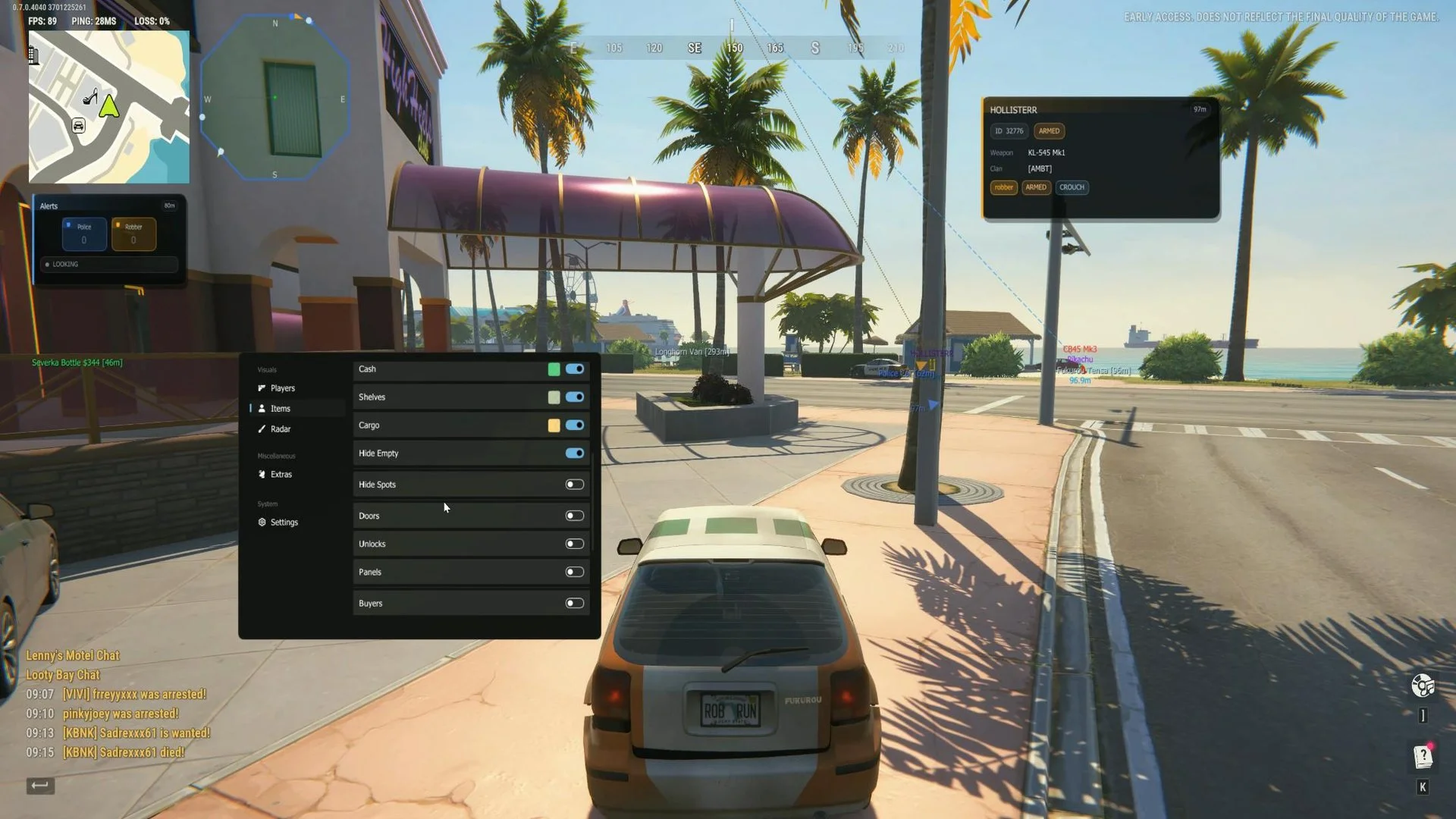
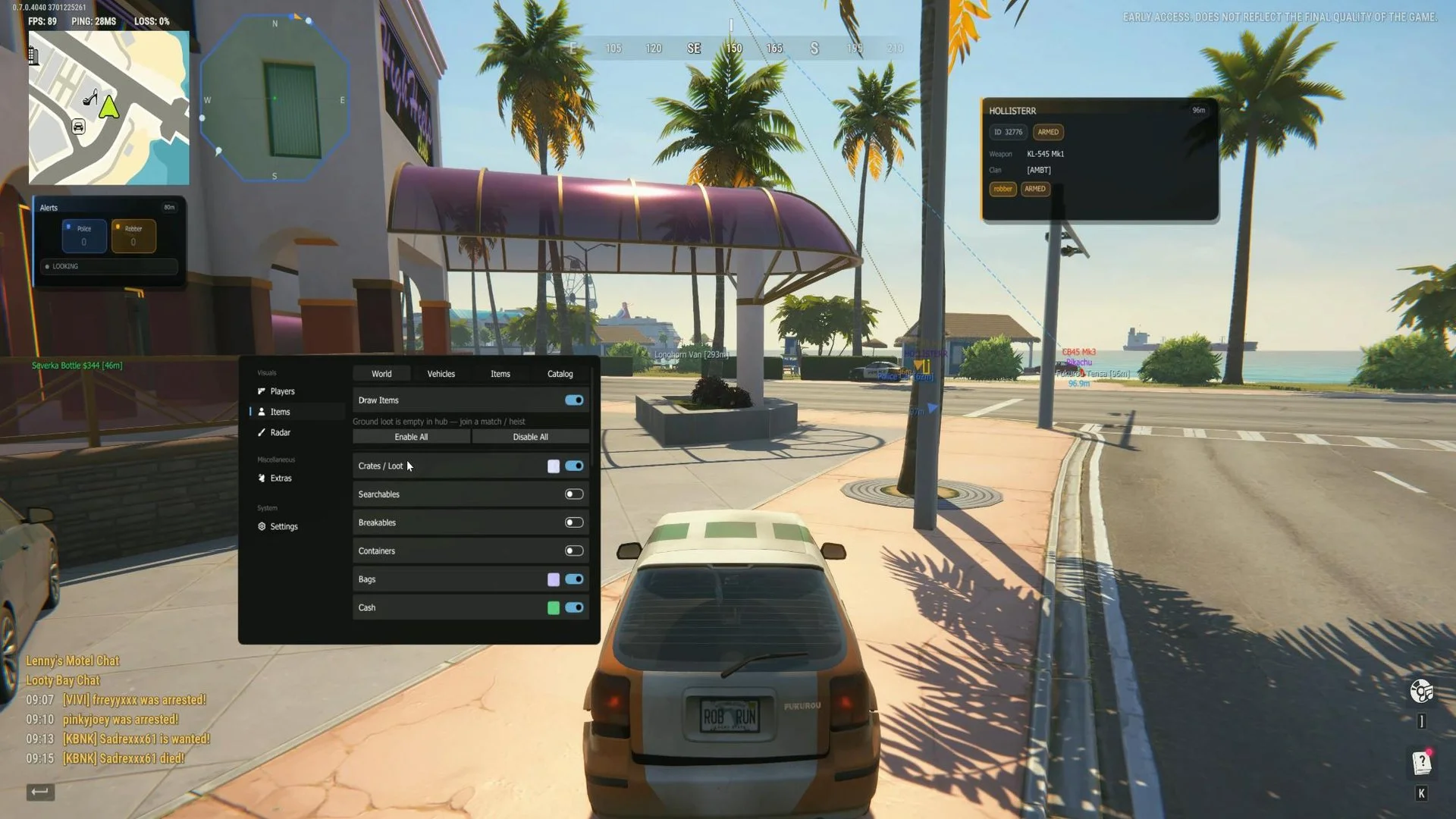
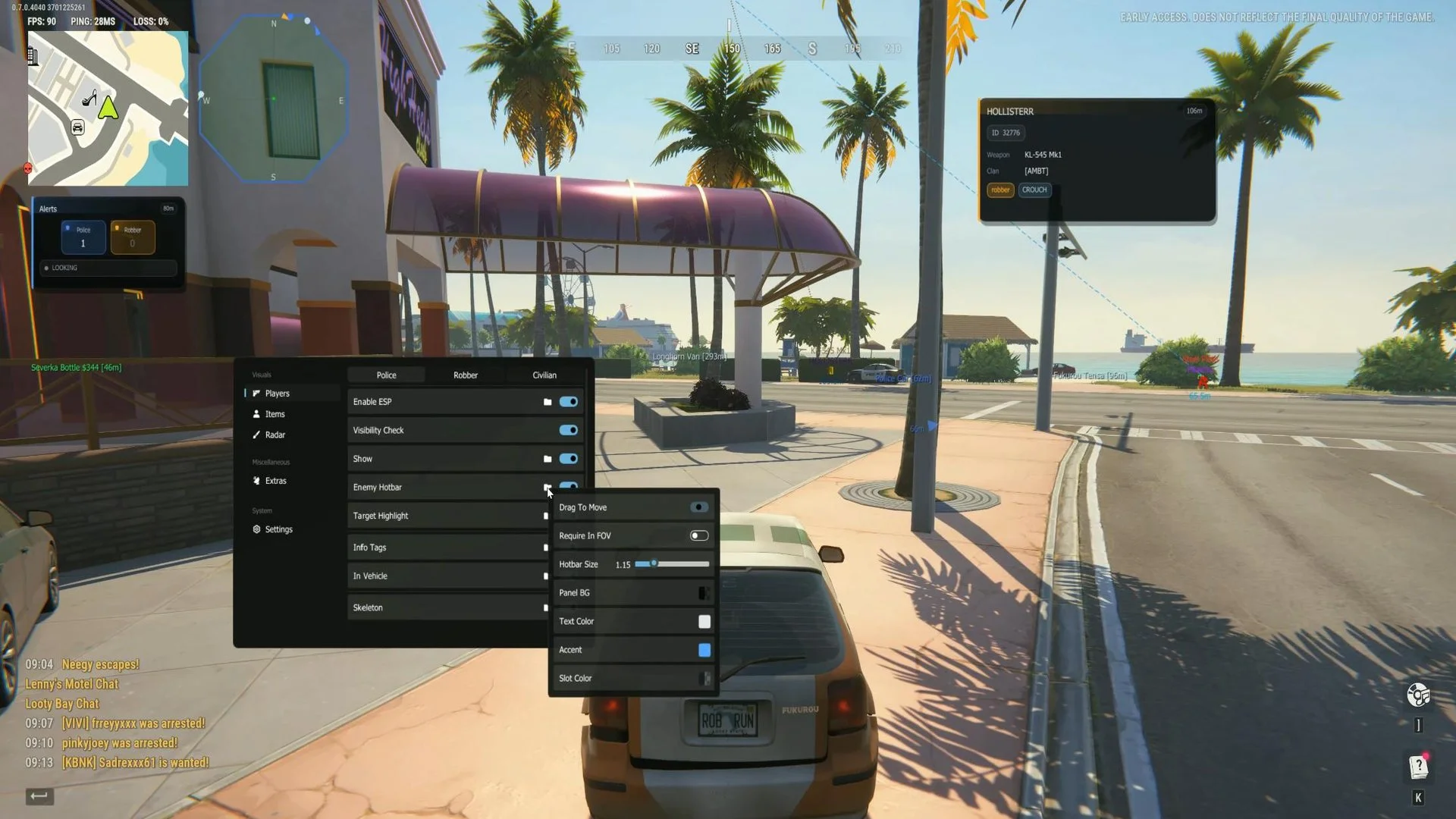
LEX ESP is a visuals-only cheat version for Rob Run with no aimbot advertised. It helps track players by role and visibility, highlight world objects, and filter loot by category. A customizable radar and awareness alerts complement ESP, while marker styles, panels, and filters can be tailored to individual preferences.
Cheat status: Updated
PLAYER AND ROLE ESP
Independent ESP configurations for police, robbers and civilians
Enable and disable player ESP
Player ESP render distance
ESP text scale
Hide dead players
Target visibility check
Show or hide each role independently
Independent colors for each role
ENEMY HOTBAR
Enemy hotbar display
Drag the hotbar panel to reposition it
Require the target to be within FOV
Hotbar FOV radius
Hotbar size
Panel background color
Hotbar text color
Hotbar accent color
Hotbar slot color
TARGET HIGHLIGHT
Enable target highlighting
Highlight styles: box outline, corner box, circle or skeleton tint
Highlight thickness
Pulsing highlight effect
Custom highlight color
PLAYER INFO TAGS
Enable player info tags
Info-tag position above or below the character
Custom info-tag color
Downed status indicator
IN-VEHICLE PLAYER STATUS
In-vehicle status display
Status position above or below the character
Vehicle type display
Vehicle seat display
SKELETON ESP
Enable skeleton ESP
Skeleton styles: full, dotted, stickman or torso only
Skeleton line thickness
Draw skeleton joints
Joint shapes: dot, circle, square or diamond
Joint size
Skeleton color modes: static, visibility check or gradient
Skeleton color and hidden skeleton color
Gradient top and bottom colors
HEAD ESP
Head marker
Head marker shapes: circle, square, diamond, triangle or crosshair
Head marker size scale and thickness
Head color and hidden head color
BOX ESP
Enable box ESP
Box shapes: square, corners, circle or diamond
Box thickness and corner size
Box outline and outline color
Filled box and fill opacity
Box color mode: static or visibility check
Box color and hidden box color
NAME AND WEAPON ESP
Display player names
Name position above or below
Name color and hidden name color
Display player weapons
Weapon label above or below
Weapon color and hidden weapon color
DISTANCE ESP
Display distance to players
Distance label below or above the box
Distance units: meters or feet
Distance precision: integer, one or two decimals
Distance color and hidden distance color
LINE ESP
Enable player snaplines
Line origin: top, middle or bottom of screen
Line styles: solid, dashed, dotted or curved
Line thickness
Dash length and dash gap
Curve amount adjustment
Arrow at target and arrow size
Line color modes: static, visibility check or gradient
Line color and hidden line color
Gradient start color and end color
GLOBAL PLAYER ESP
Apply ESP distance to all roles
Apply ESP scale to all roles
WORLD AND OBJECT ESP
Draw items in the world
Enable all or disable all World ESP categories
Crates and loot ESP
Searchables ESP
Breakables ESP
Containers ESP
Bags ESP
Cash ESP
Shelves ESP
Cargo ESP
Hide spots ESP
Doors ESP
Unlocks ESP
Panels ESP
Buyers ESP
Points of interest ESP
Holding cells ESP
Chargers ESP
Vigilant NPC ESP
Custom color for every world object type
Hide empty objects
World distance and world render distance
VEHICLE AND PROJECTILE ESP
Draw vehicles
Vehicle ESP distance
Custom vehicle color
Police vehicle ESP and custom police vehicle color
Grenades ESP
Offscreen grenade indicators
Projectile distance
GROUND ITEM ESP
Show item price
Loot coloring by rarity or type
Minimum and maximum price filters
LOOT RARITY FILTERS
Rarity filters: Common, Uncommon, Rare, Epic, Legendary, Exotic and Unknown
Custom color for every rarity
ITEM TYPE FILTERS
Enable or disable item type filters
Enable all or disable all types
Categories: weapons, ammo, armor, grenades and medicine
Categories: valuables, cargo, keys, tools and other
Custom color for every item type
ITEM CATALOG FILTER
Catalog filter and individual item selection
Filter by item type or rarity
Item search
Item count display
Enable or disable listed items
Individual item toggles
Catalog item price and rarity display
CATALOG SORTING
Sort by name A-Z and Z-A
Sort by highest or lowest price
Sort by highest or lowest rarity
RADAR
Radar enable and radar hotkey
Radar shapes: square, circle, hexagon or octagon
Radar move mode: mouse drag or sliders
Radar position using Center X and Center Y
Radar marker types: dots or arrows
Rotate with player
Compass and crosshair on the radar
Dot size and opacity; arrow size and opacity
Visibility check colors
Show vehicles and loot on radar
Custom loot radar color
RADAR STYLE
Radar background, background color and opacity
Radar border, color and thickness
Center dot, color and size
Radar size and zoom
Maximum radar distance
LOOT ESP EXTRAS
Hide items while aiming down sights (ADS)
Loot stacking
Stacking modes: merge same on screen, stack box or merge card
Loot fading
Fade start percentage and minimum opacity
LOOT FOV DOTS
Loot FOV dots
FOV source: Loot FOV or ESP FOV
FOV radius
Dot size
OFFSCREEN ARROWS
Offscreen arrows for targets outside the screen
Independent toggles for police, robbers and civilians
Role-specific arrow colors
FOV border offset
Arrow size and length
Distance scaling and distance labels
Arrow opacity and maximum distance
Arrow outline, outline thickness and color
NEARBY PLAYER WARNING
Nearby player warning
Police, robber and civilian warning toggles and colors
Warning distance
Drag warning HUD to move
Reset warning HUD position
LOOK AT YOU WARNING
Look At You warning
Police, robber and civilian toggles and colors
Warning distance
Drag warning HUD and reset its position
SHOW HIDDEN PEOPLE
Show hidden people
Separate filters for police, robbers and civilians
Include guessed detections
Show tag and show on spot
Maximum distance for hidden people
Tag color, guessed color and occupied spot color
SETTINGS AND LANGUAGE
Menu key
Panic key
Items toggle key
Radar hotkey
Streamproof display mode
Interface languages: English, Russian, Chinese, Turkish, Portuguese, German, Japanese, Vietnamese, French, Hebrew and Thai
CONFIGURATION
Save configuration
Load configuration
Buy similar cheats

ANCIENT
from 3$
PUSSYCAT
from 3.7$
ARCANE
from 4$
FECURITY
from 4$
VENGEANCE
from 4.1$
COVCHEG
from 2.3$
DULLWAVE
from 3.6$
LOVEC
from 3.7$
PHOENIX INTERNAL
from 3.7$
AEGIS
from 5$
PHOENIX EXTERNAL
from 3.1$
SMG
from 3.7$
UDP
from 3$
KERNEL / KERNAIM
from 10$
MIRA
from 2.5$
LEX
from 6$
GHOST
from 3.7$
GHOST ESP
from 2.5$